
To recover your collaborators, click on “Settings”, after that at the top select the option “Collaborators”.
See the image below:
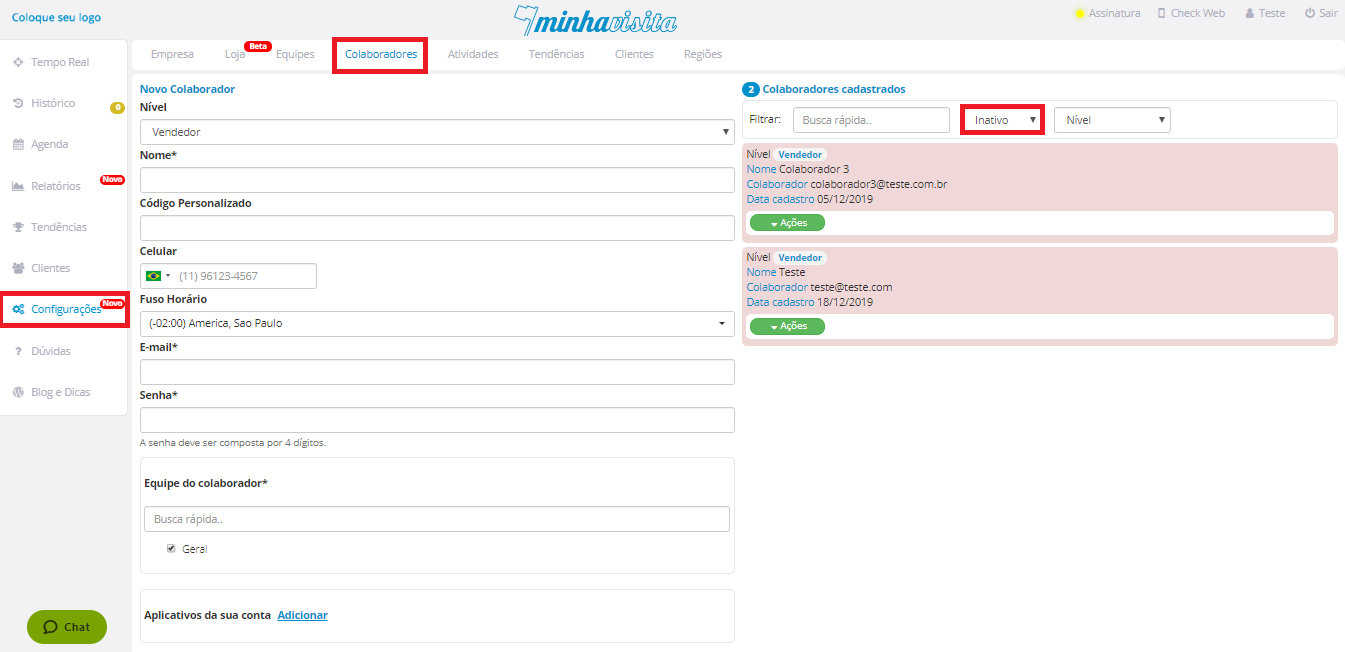
In the right part of the page, next to the Quick Search, click and select “Inactive”.
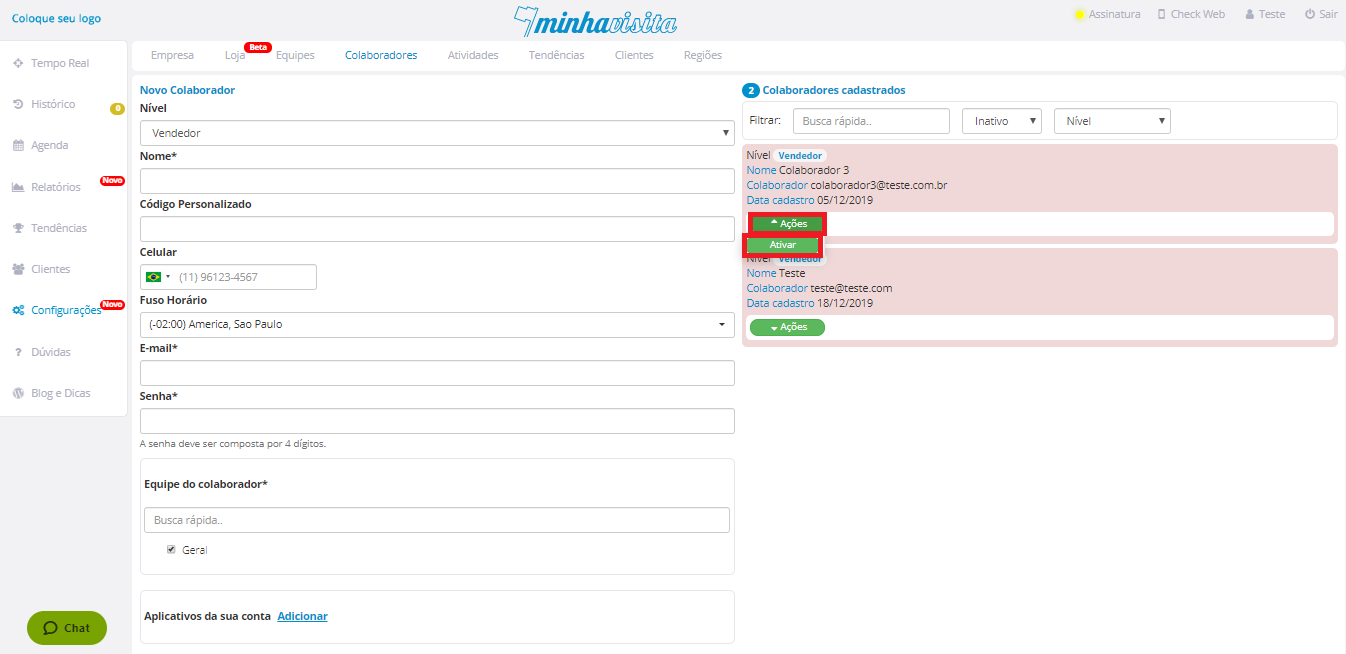
Click on the green “Actions” button and the “Activate” option will appear, select it.
See the image below:
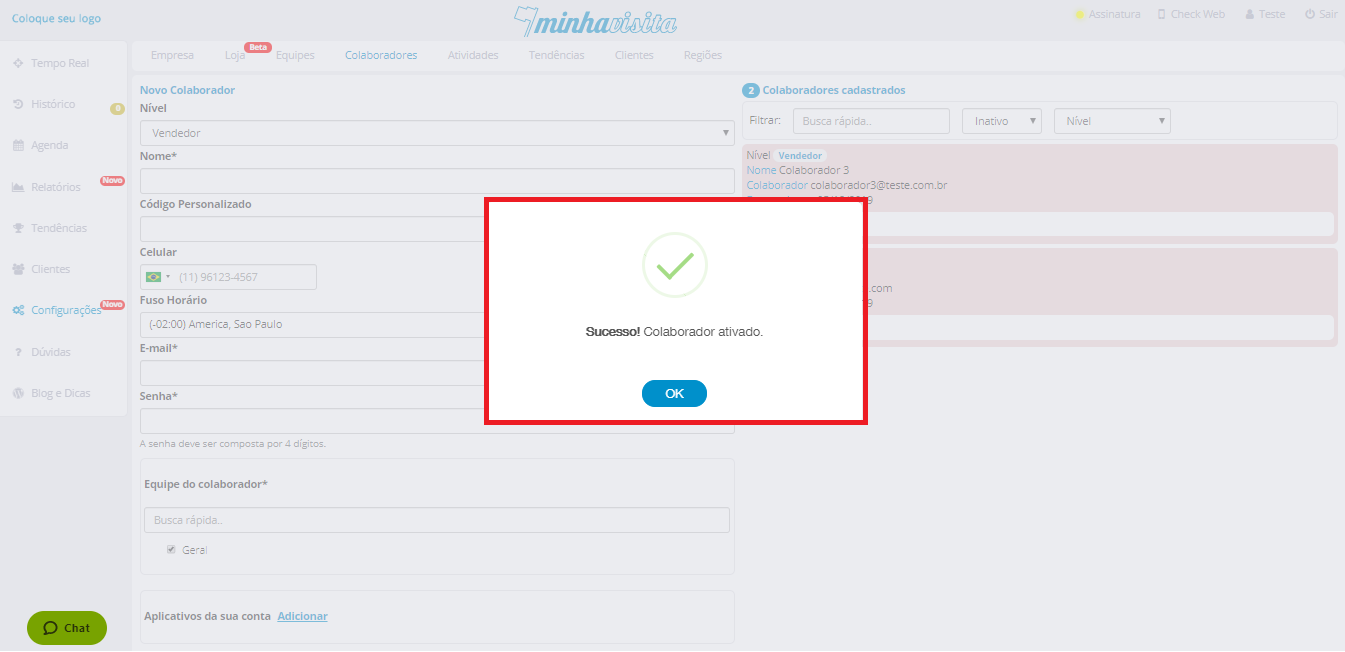
There, a message will appear to confirm this activity.
See the image below:
Comentários
0 comentário
Por favor, entre para comentar.