
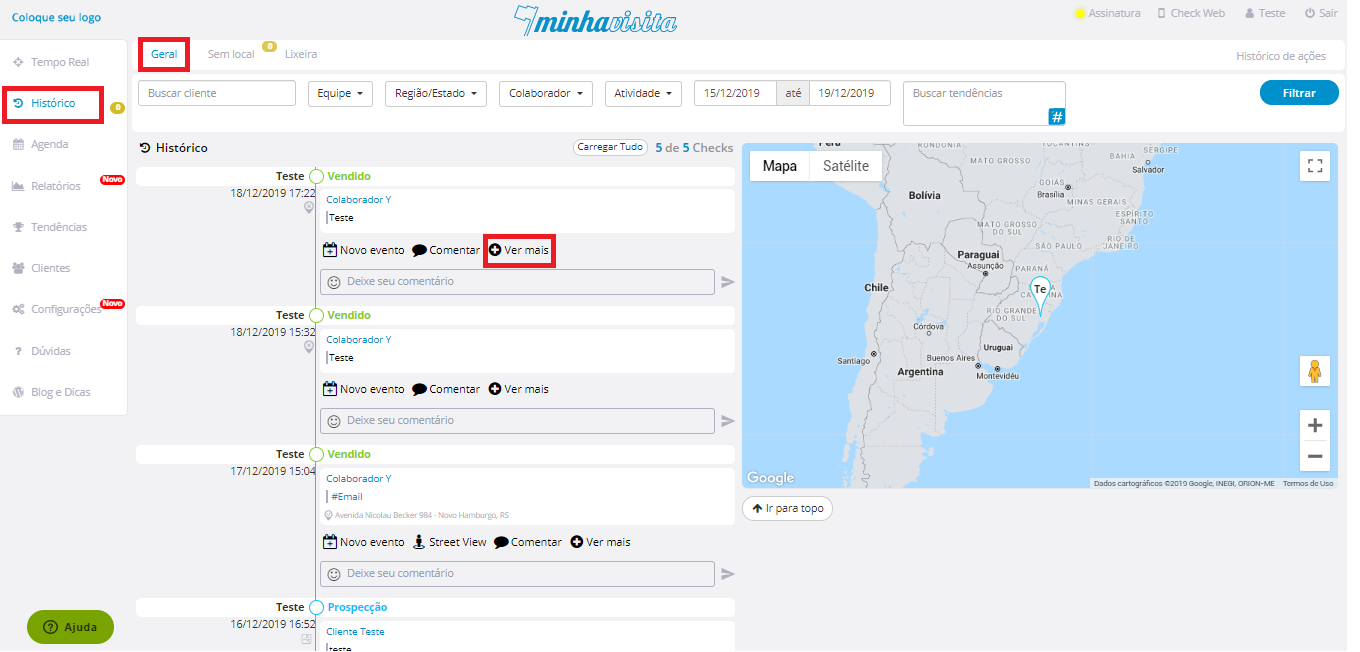
To edit your check, go to the "History" tab, then at the top of the page, click "General".
Select the check you want to edit, click on "See more" above the respective check that will be edited.
See the image below:
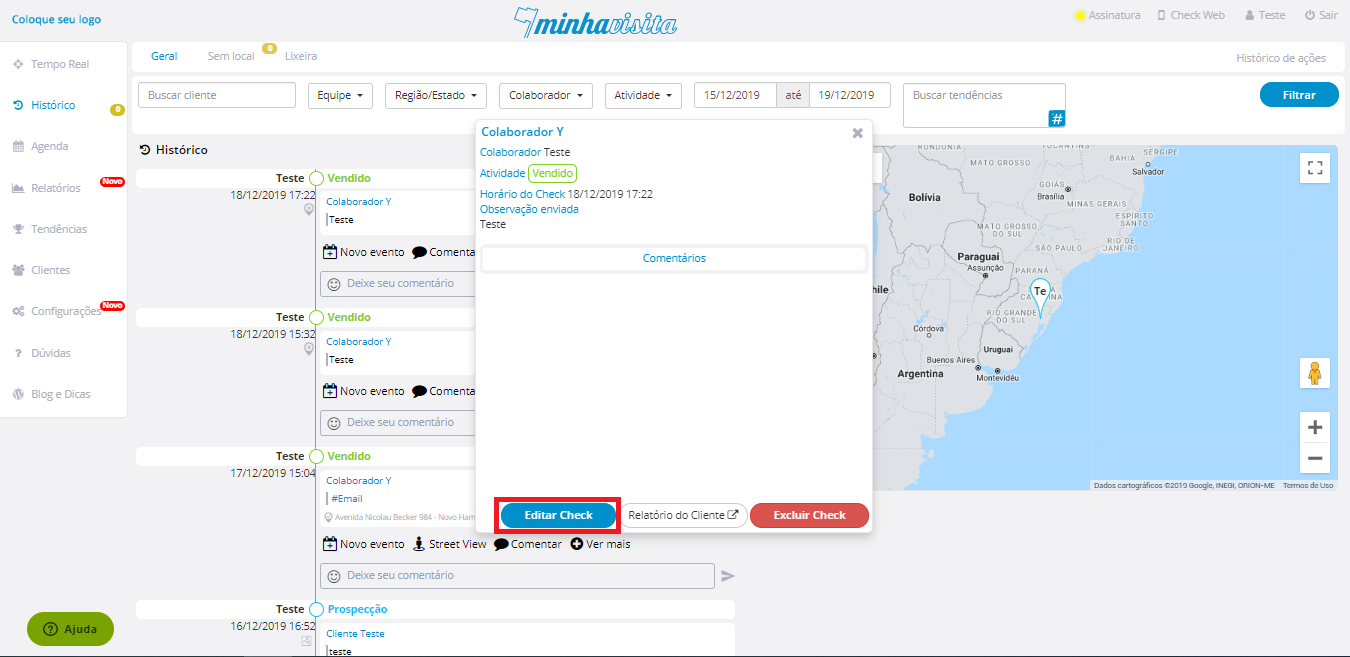
After that, a window will open and then click on “Edit check”.
See the image below:
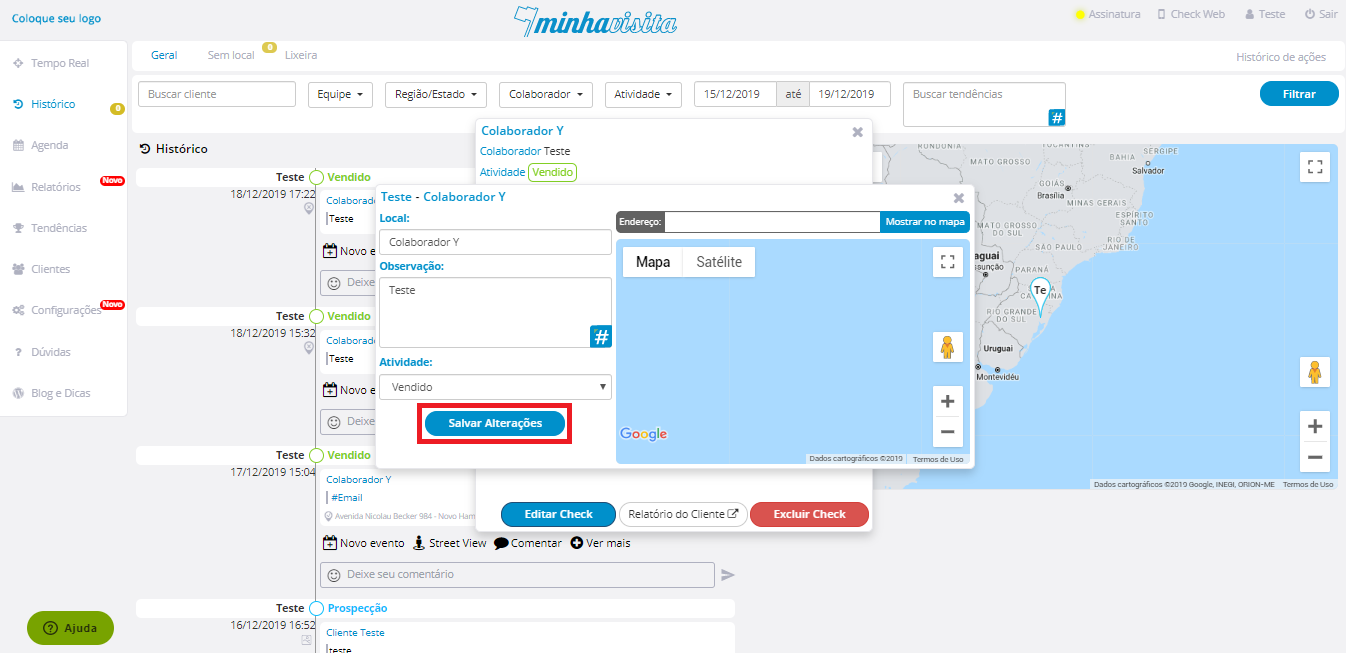
Edit and then click on “Save changes”
See the image below:
Comentários
0 comentário
Por favor, entre para comentar.