
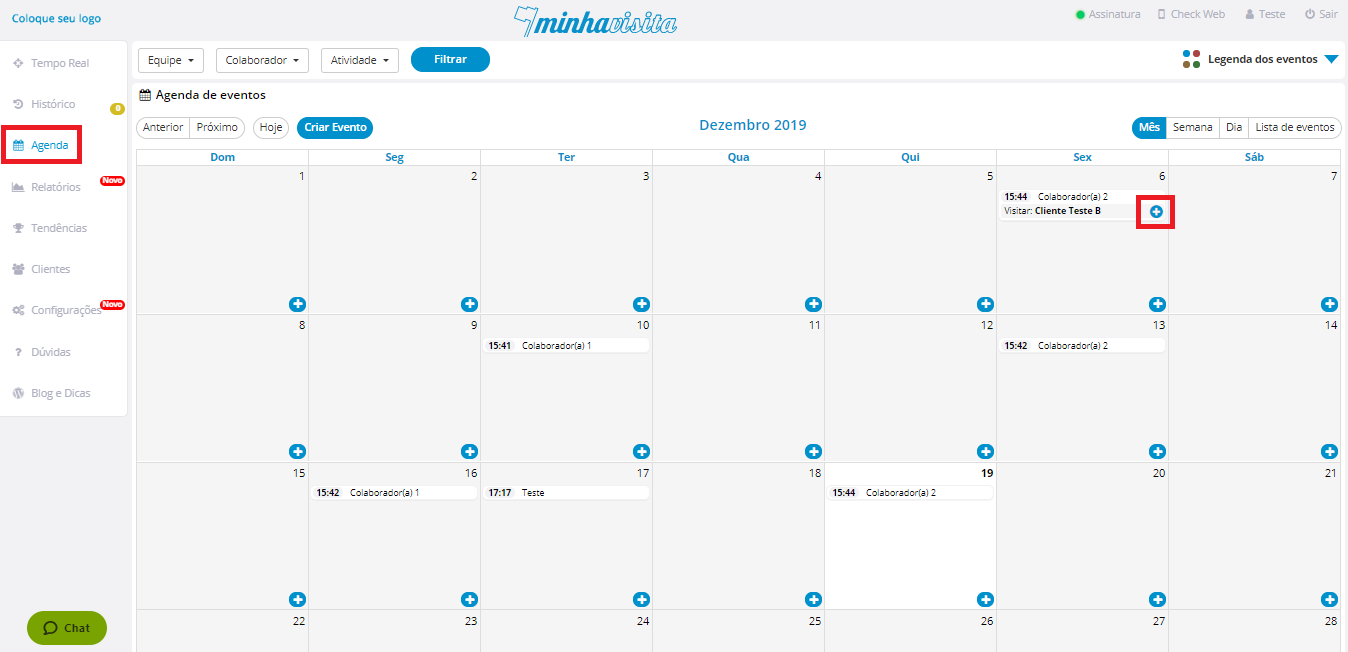
To delete an event from the agenda, go to the "Agenda" tab, choose the event you want to delete, click on the "+".
See the image below:
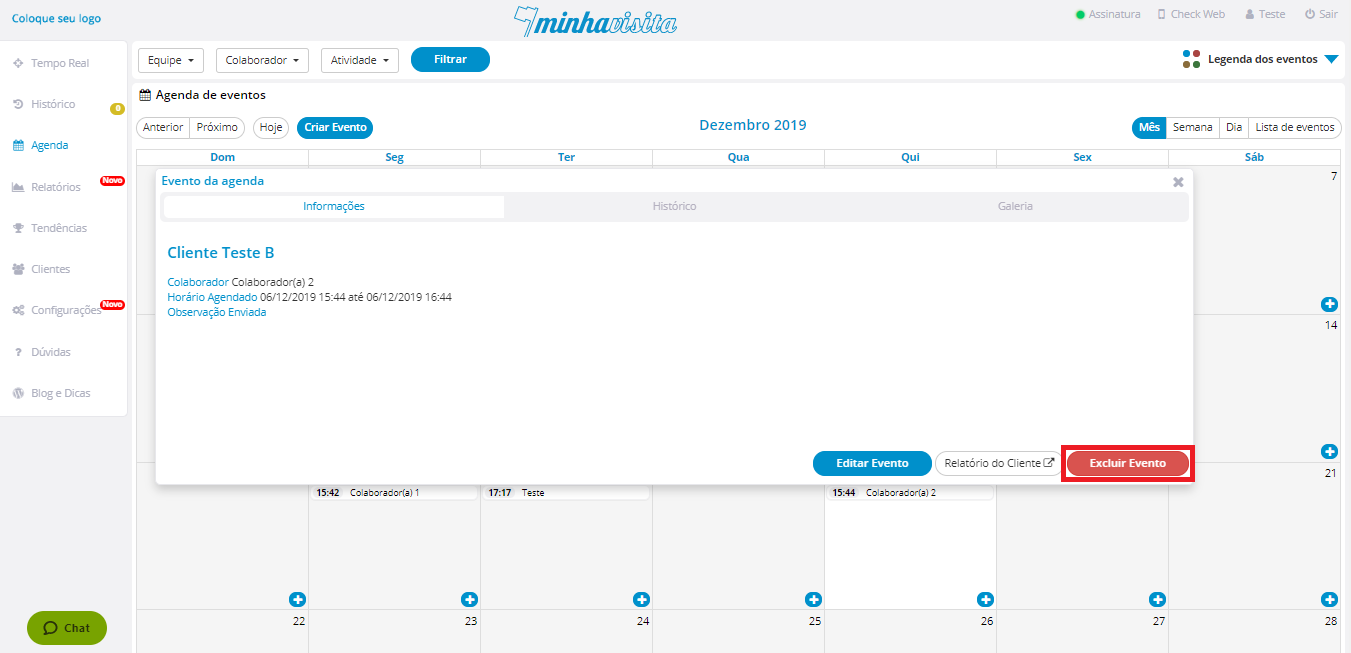
After that, click on “Delete Event”.
See the image below:
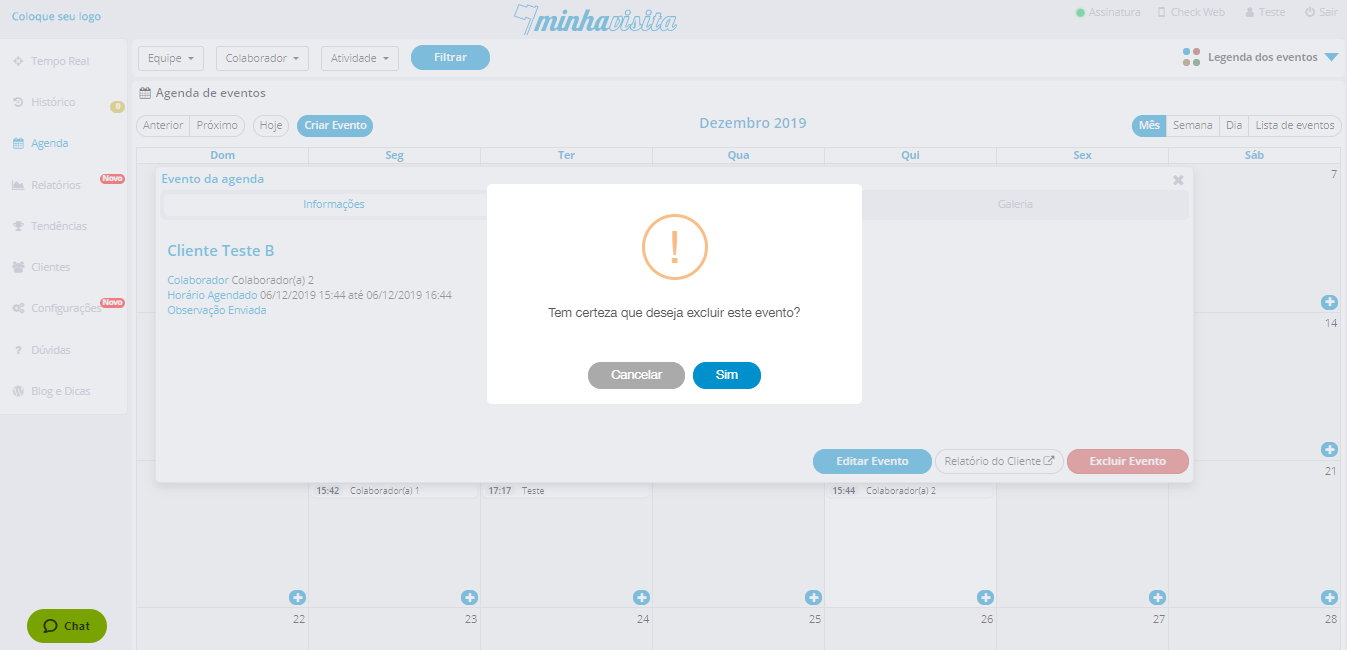
A message to confirm that you really want to delete will open, confirm it and your event will be deleted.
See the image below:
Comentários
0 comentário
Por favor, entre para comentar.