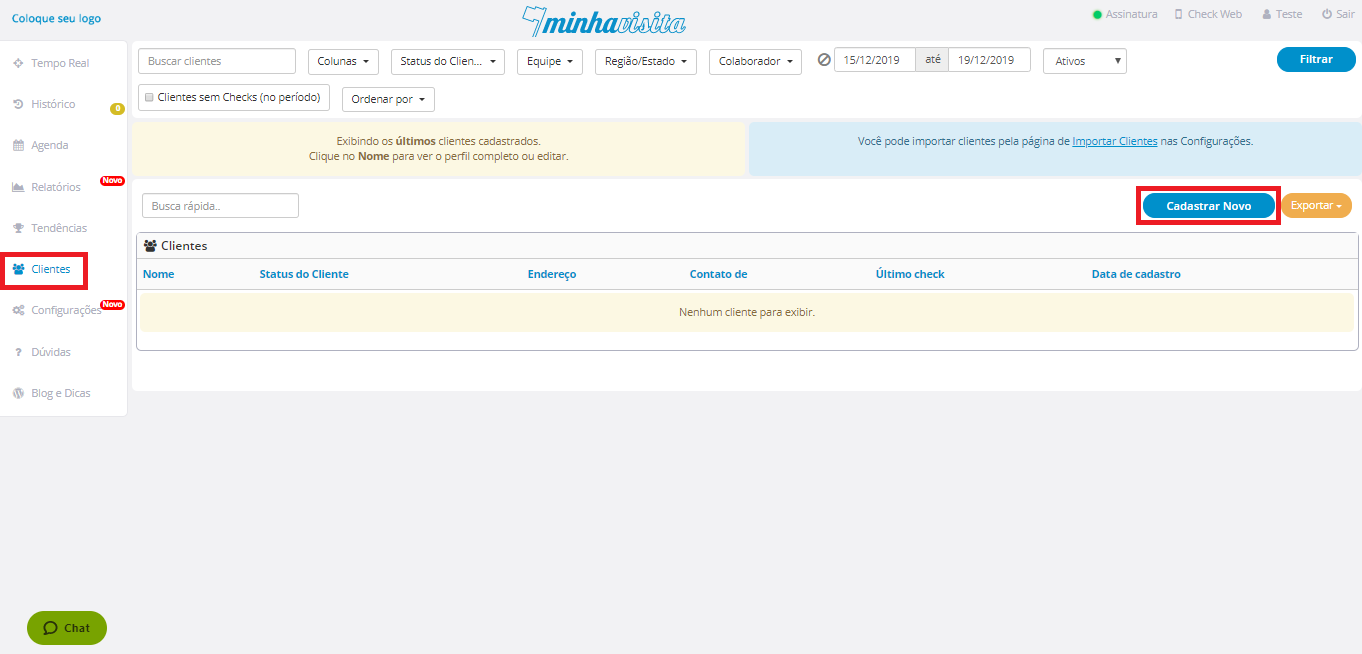
To register a new customer, go to the "Customers" tab and then on the right side of the page, click "Register New".
See the image below:
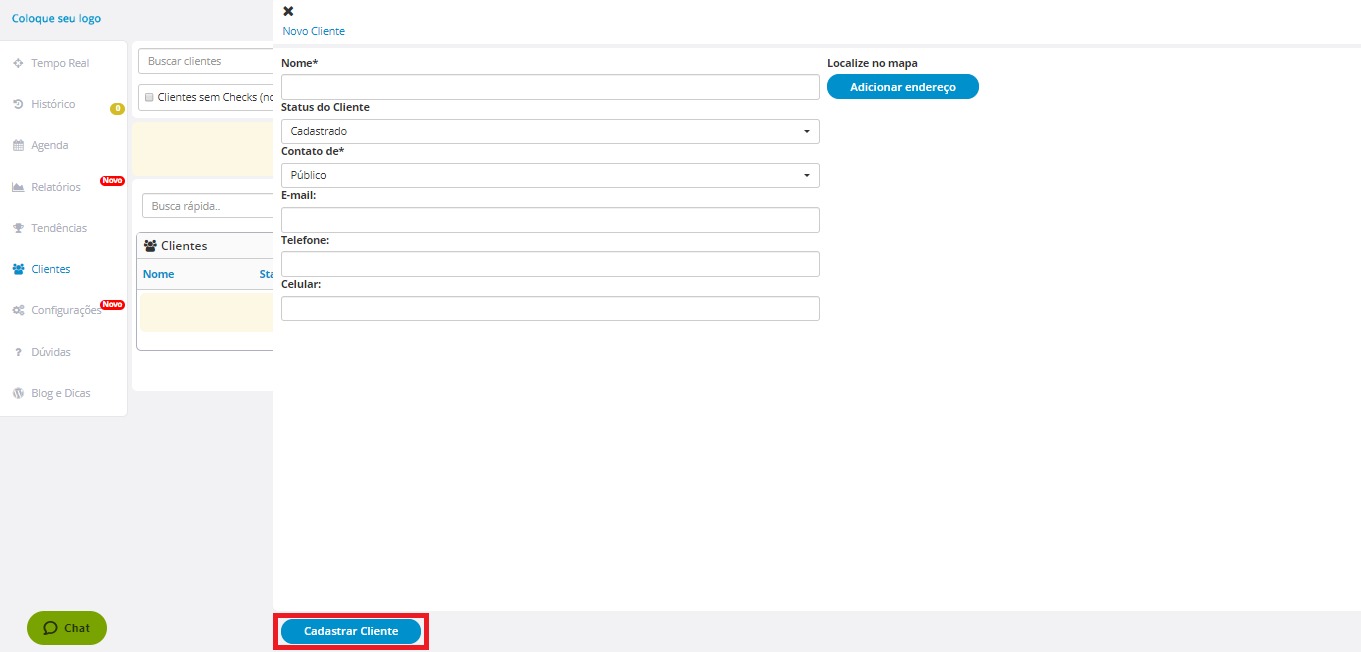
Enter the information for this customer and after that click on "Register Customer".
See the image below:

To register a new customer, go to the "Customers" tab and then on the right side of the page, click "Register New".
See the image below:
Enter the information for this customer and after that click on "Register Customer".
See the image below:
Comentários
0 comentário
Por favor, entre para comentar.