
In this screen, you can register the sellers that are part of your Sales Team.
To register new users, go to:
Go to the Configuration tab, located in the side menu and go to the top tab, Users and enter the details of your seller.
What will be their level of access (Administrator, Manager, Representative or salesperson); Username, Phone and Email.
To find out what the Registration Levels are, click here on this link.
See the image below:
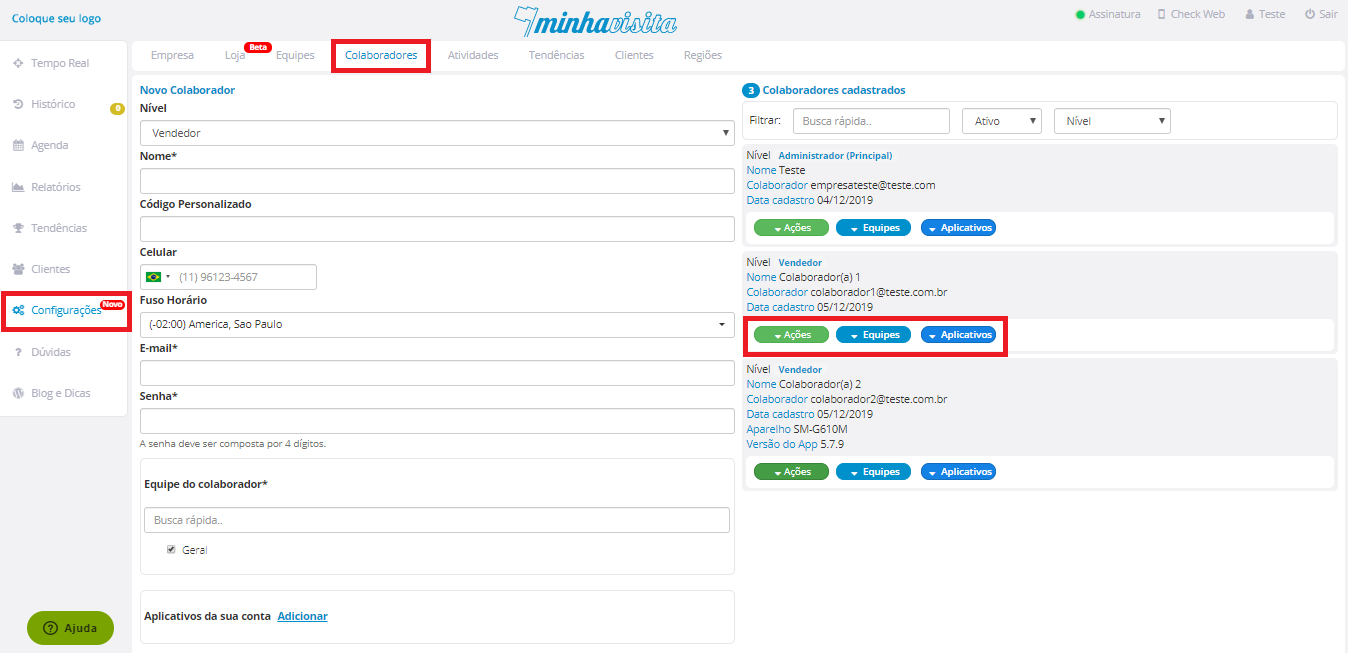
In the Regions part, you can select the Custom Region that your employee will serve.
To learn how to customize regions click here. In Apps, you choose which apps will be enabled for each of your vendors.
And on the Actions button, you choose to send an email to your seller with a new password and registered email.
Access the page: bit.ly/CadastrarNovosVendedores
Comentários
0 comentário
Por favor, entre para comentar.