
To edit collaborators in the account is very simple, just enter your administrative portal through the web and click: Settings-Users
See the image below:
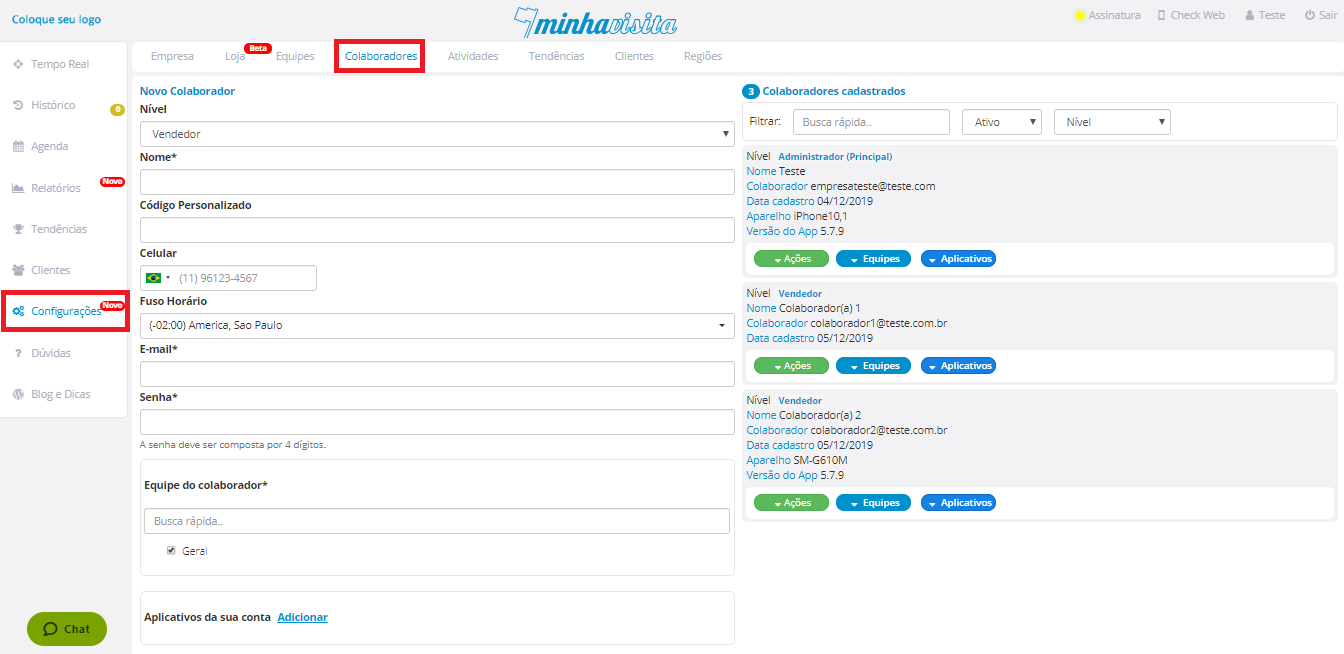
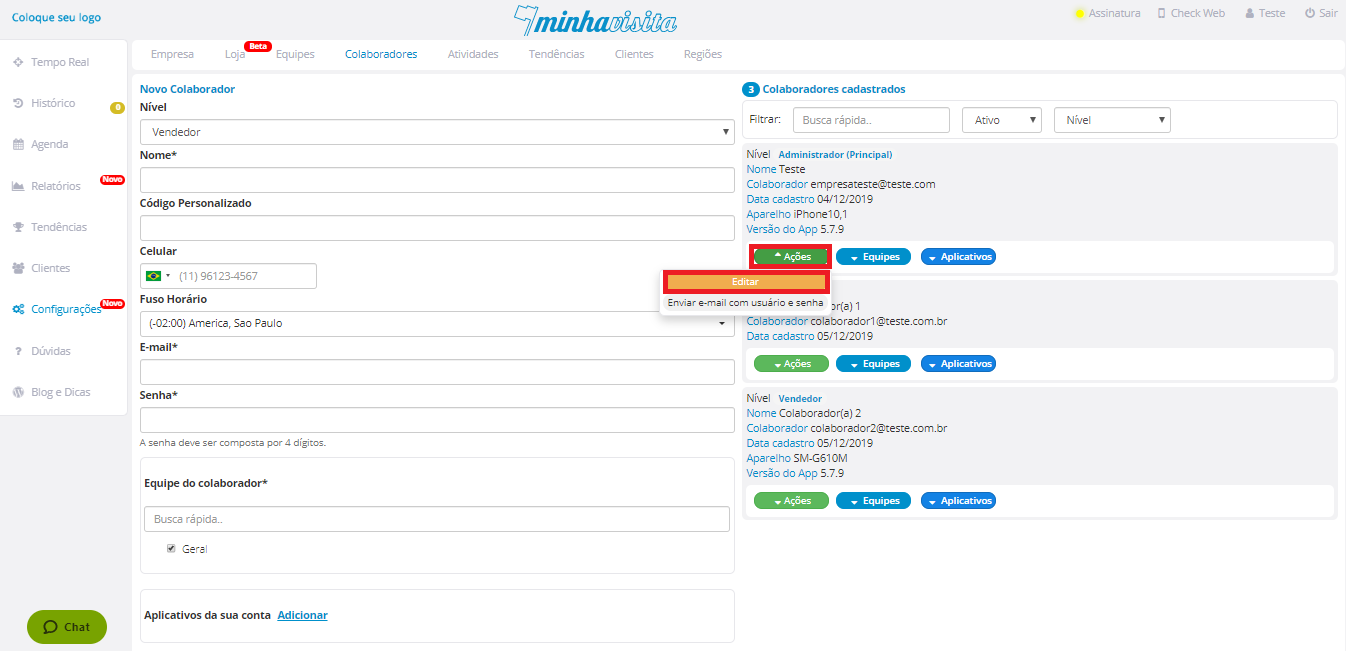
Clicking on the settings - users, registered users will appear on the screen with the data on the right, choose which collaborator you want to edit and click actions-Edit to change your collaborator's registration data.
See the image below:
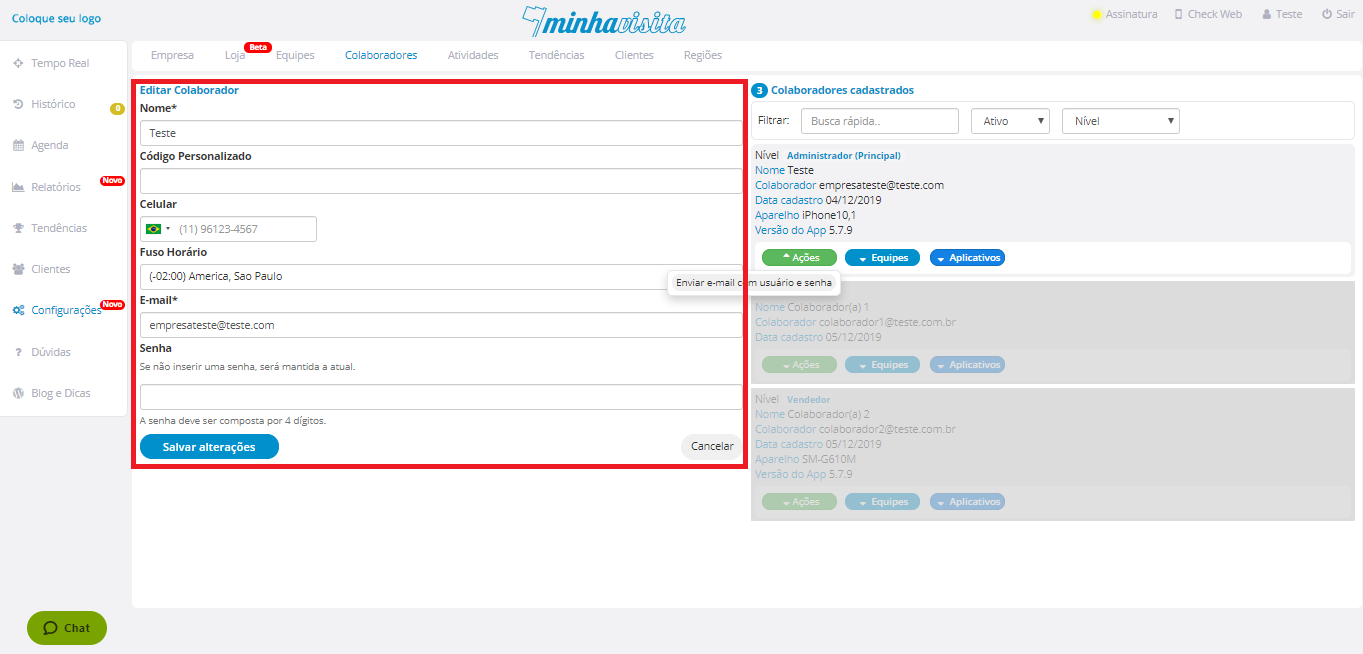
Finaly click save on the blue Button.
See the image below:
Comentários
0 comentário
Por favor, entre para comentar.