
To register a market trend and / or product, go to the "Settings" at the top of the page, select "Trends".
After opening this menu, you will have the option to create a market trend and further down, create a product trend, to confirm the addition, click on “Add trend” or “Add product trend”.
See the image below:
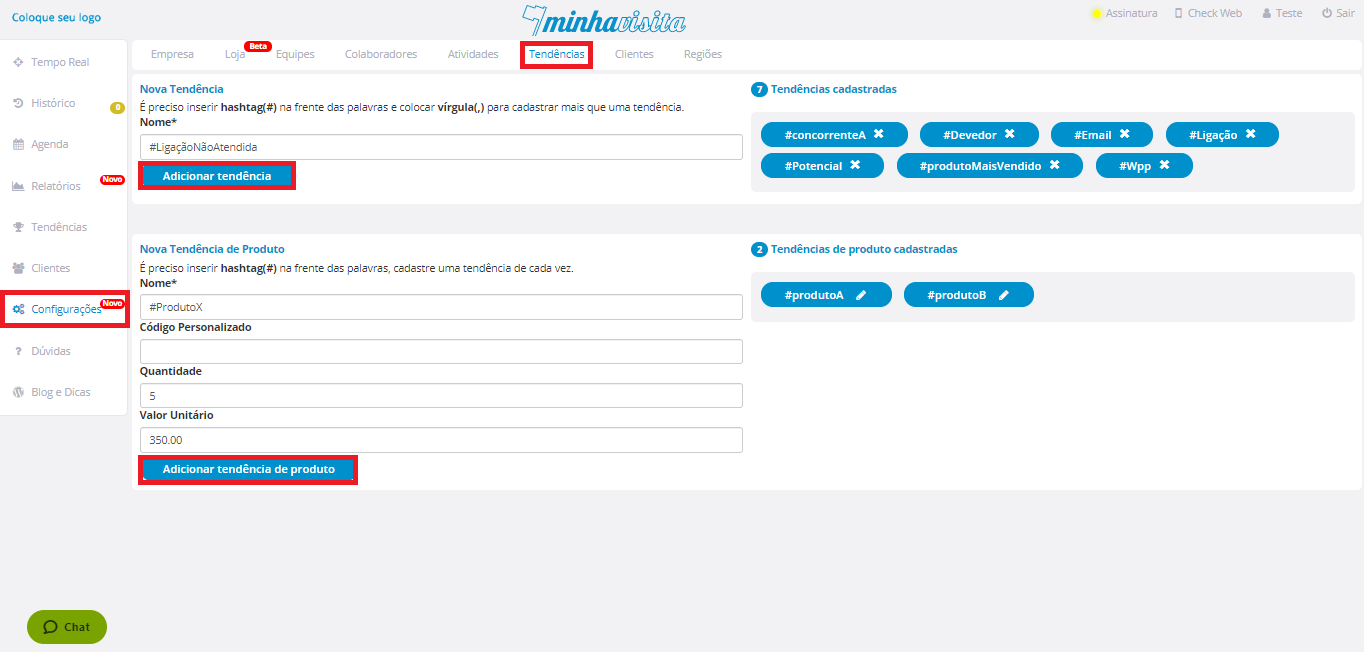
The added trends will be on the right side of this same page.
Comentários
0 comentário
Por favor, entre para comentar.