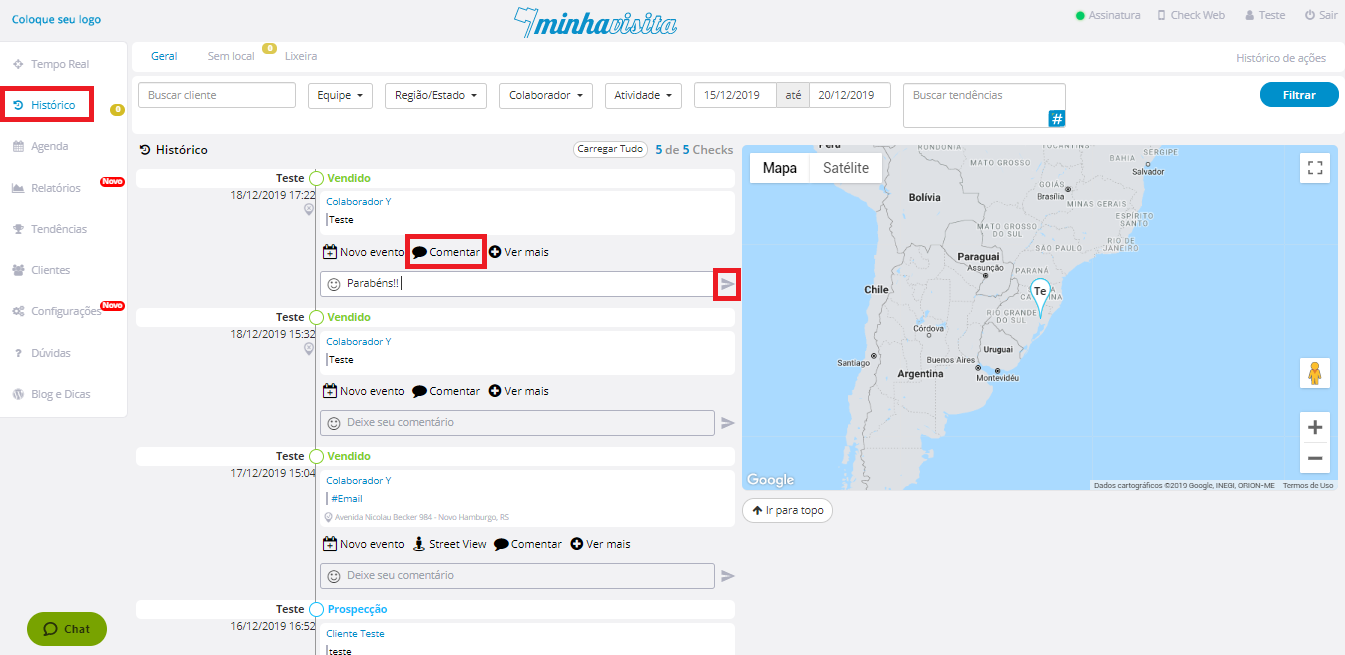
To comment on a check, go to the “History” tab, select the check you want to comment on.
Click on “Comment”.
Write by text and / or add emoticons, after that click on the send icon.
See the image below:

To comment on a check, go to the “History” tab, select the check you want to comment on.
Click on “Comment”.
Write by text and / or add emoticons, after that click on the send icon.
See the image below:
Comentários
0 comentário
Por favor, entre para comentar.