
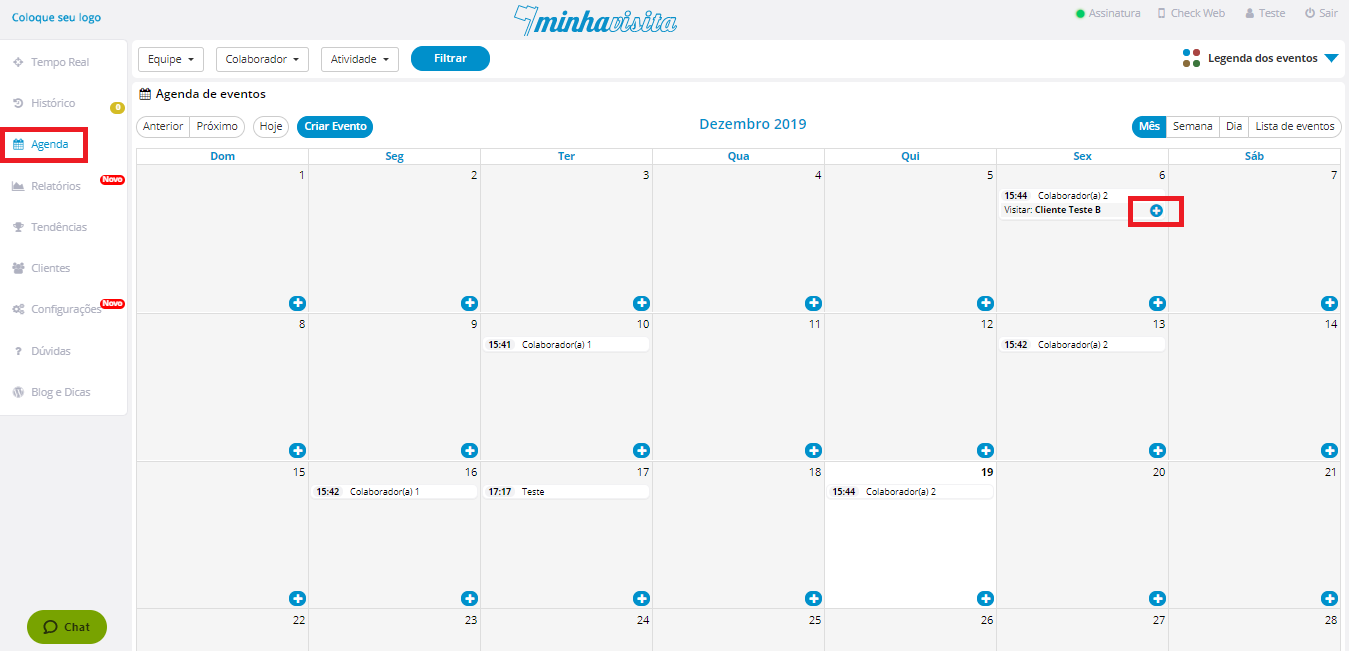
To edit a calendar event, go to the "Agenda" tab. Choose the event you want to edit, place the mouse over the “+” sign and click.
See the image below:
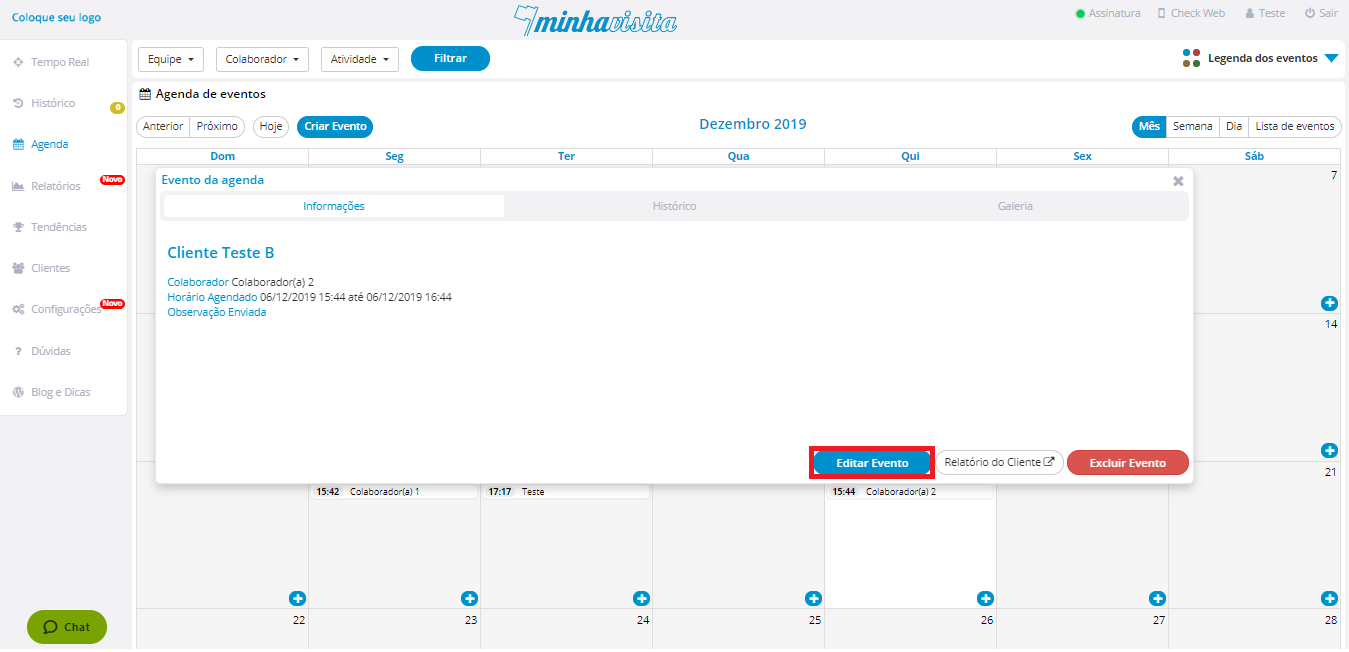
After that, click on the blue button in “Edit Event”
See the image below:
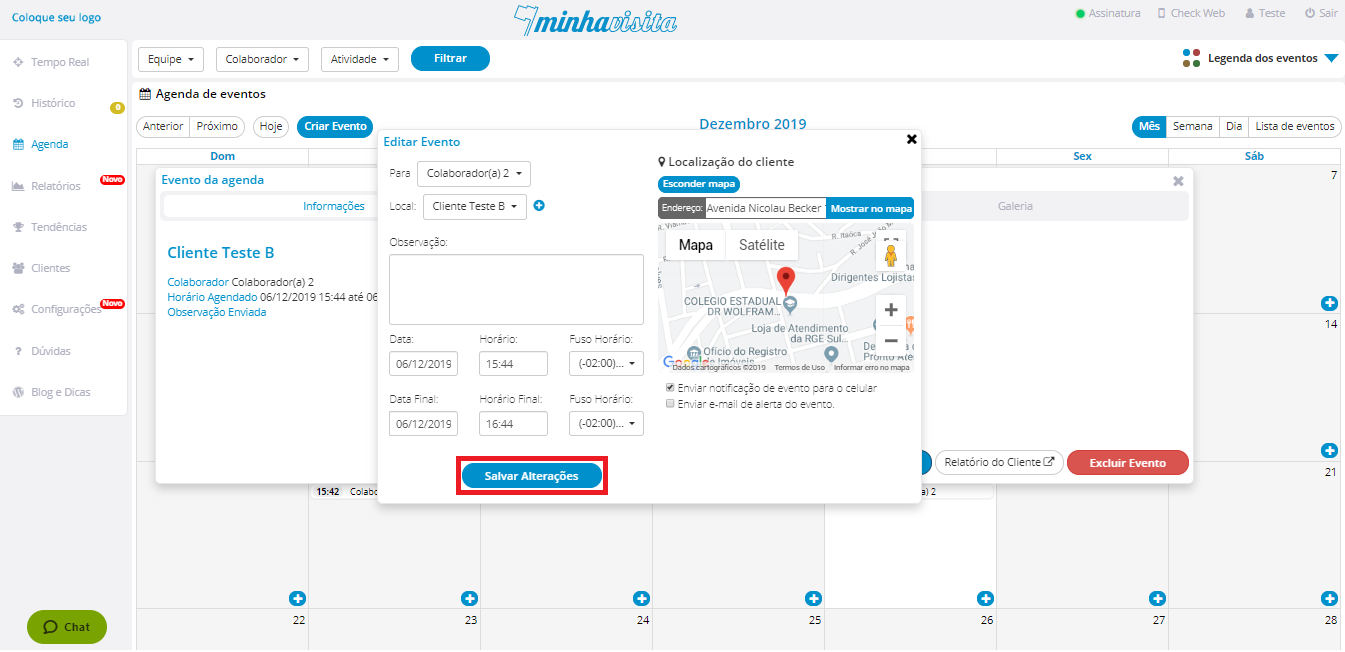
Edit this event the way you want and after that, click on “Save changes”.
See the image below:
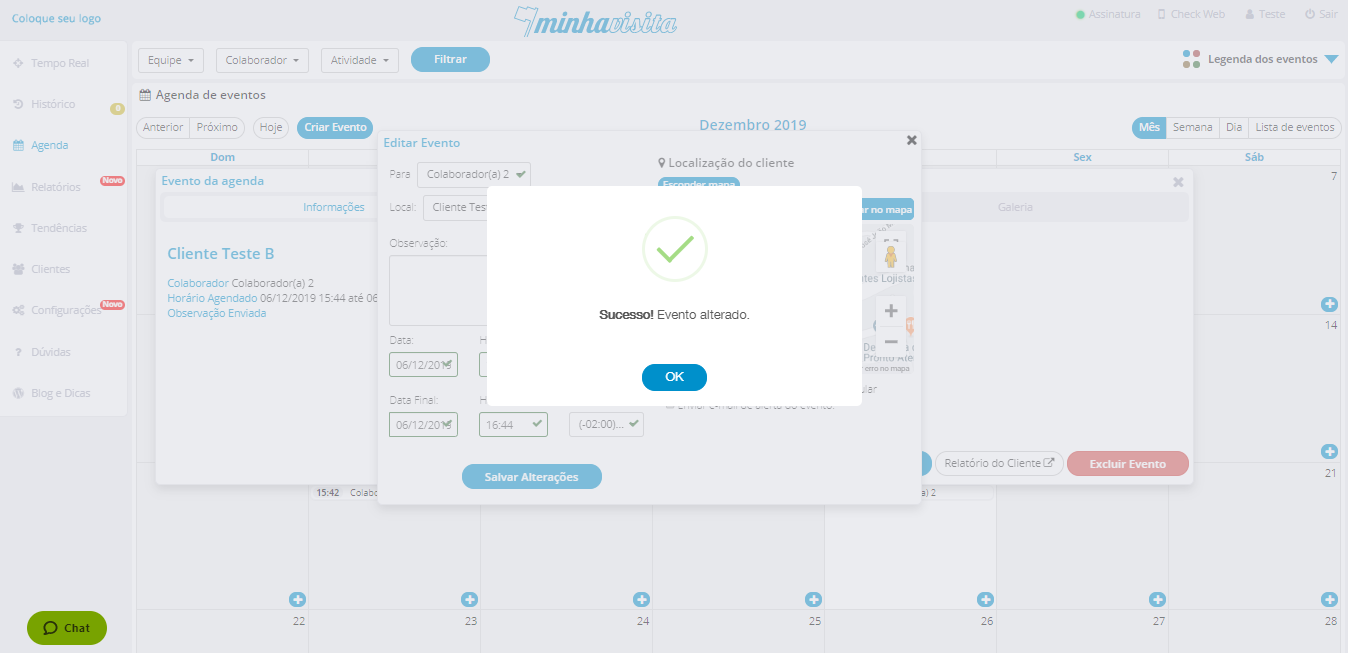
Then a message will appear confirming the change.
See the image below:
Comentários
0 comentário
Por favor, entre para comentar.