
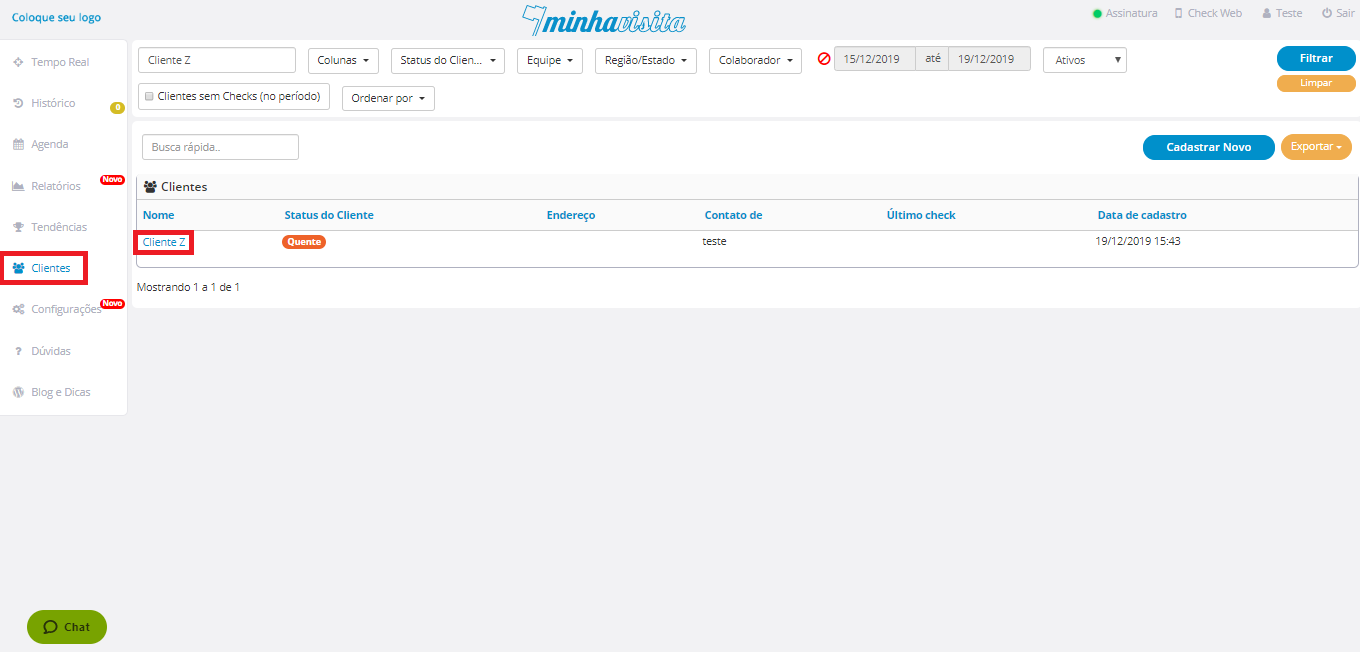
To delete a customer, go to the "Customers" tab, select the customer you want to delete and click on the name of the respective customer you want to delete.
See the image below:
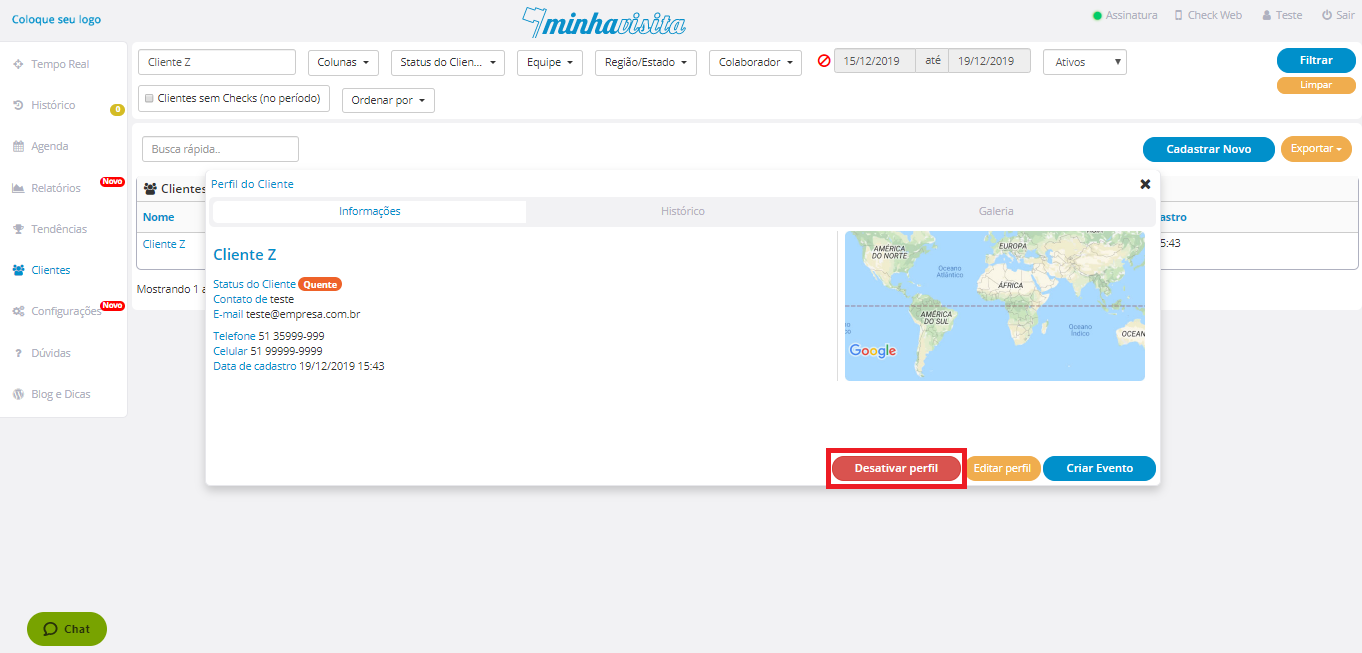
Click on “Disable profile”.
See the image below:
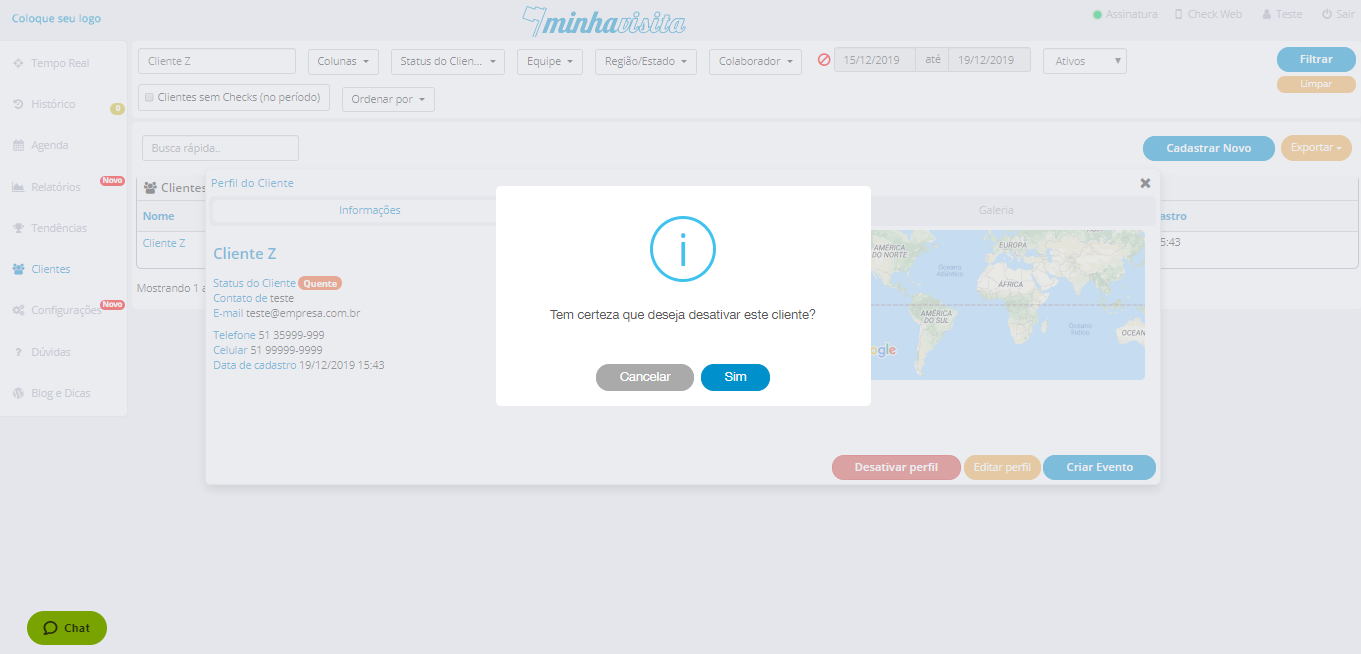
A confirmation message will appear, so confirm and this customer will be deleted.
See the image below:
Comentários
0 comentário
Por favor, entre para comentar.