To change your password, simply access your profile through the Administrative Portal.
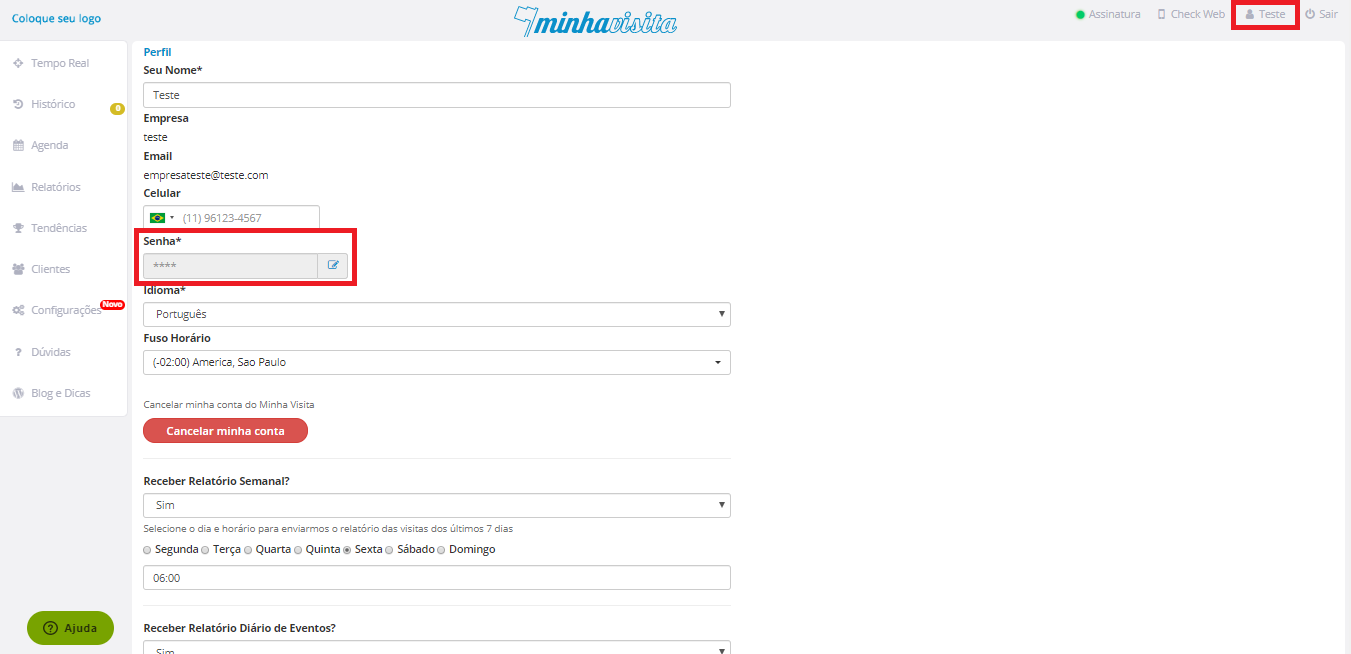
Click on your name in the Password field and click on the Edit (pencil) available next to it.
See the image below:

To change your password, simply access your profile through the Administrative Portal.
Click on your name in the Password field and click on the Edit (pencil) available next to it.
See the image below:
Comentários
0 comentário
Por favor, entre para comentar.