
If your GPS is not activated, no problem! You can add the location later.
See how easy and simple it is to upgrade.
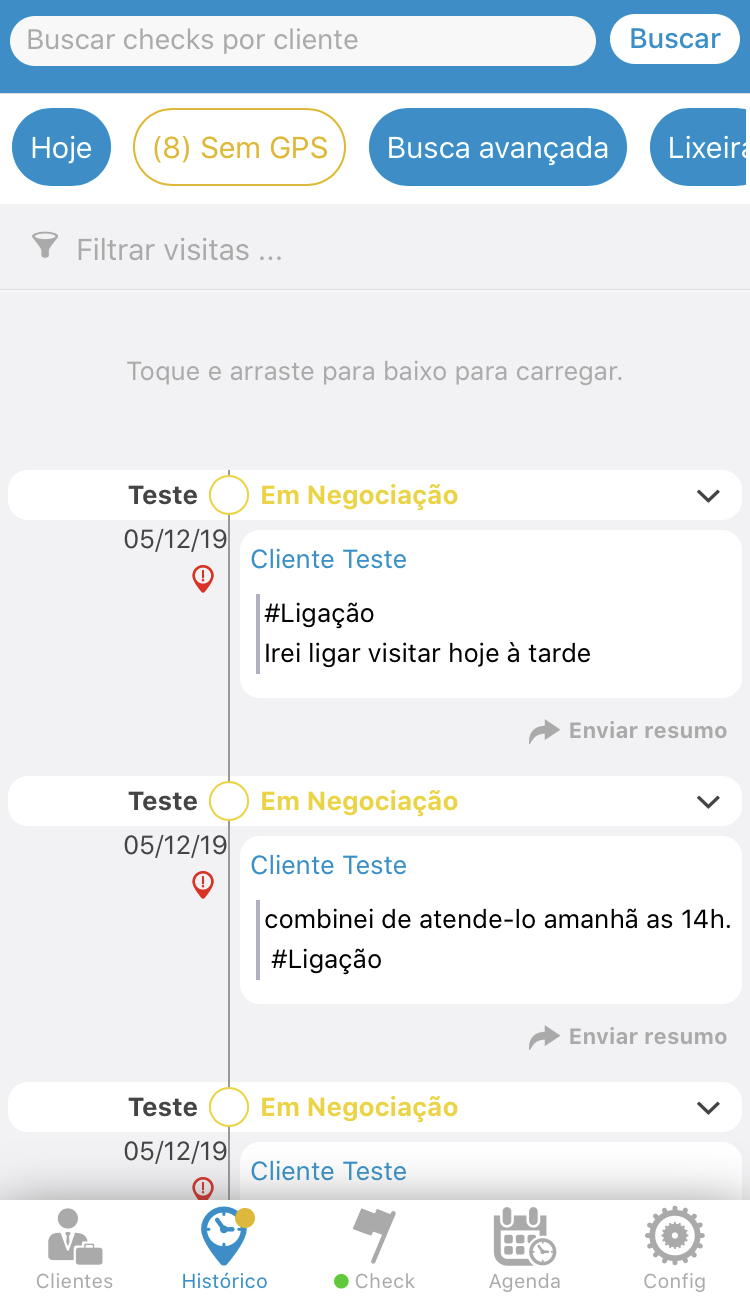
To add the location, click on the lower menu in the History option; Choose the “No GPS” option; Click the location icon and choose the visit that is missing the location.
See the image below:
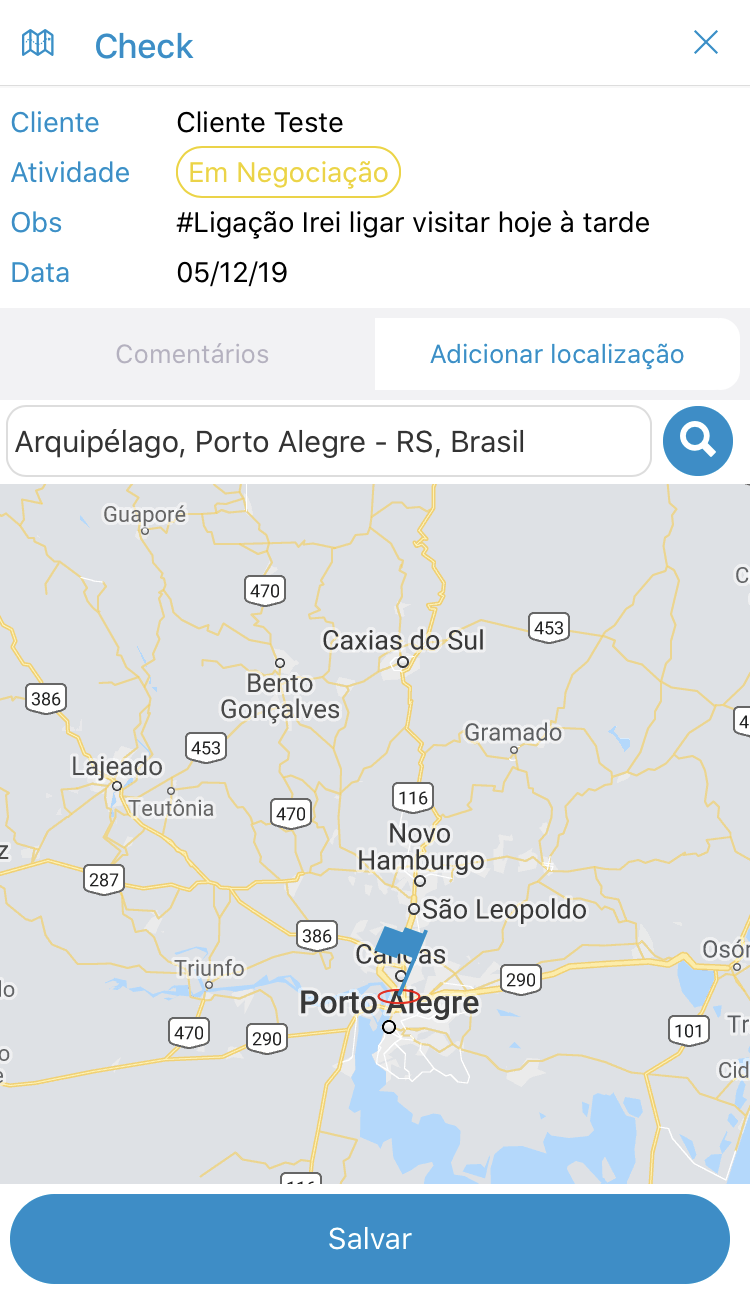
Fill in where you were by entering the street name, number and city. And don't forget to click on the magnifying glass!
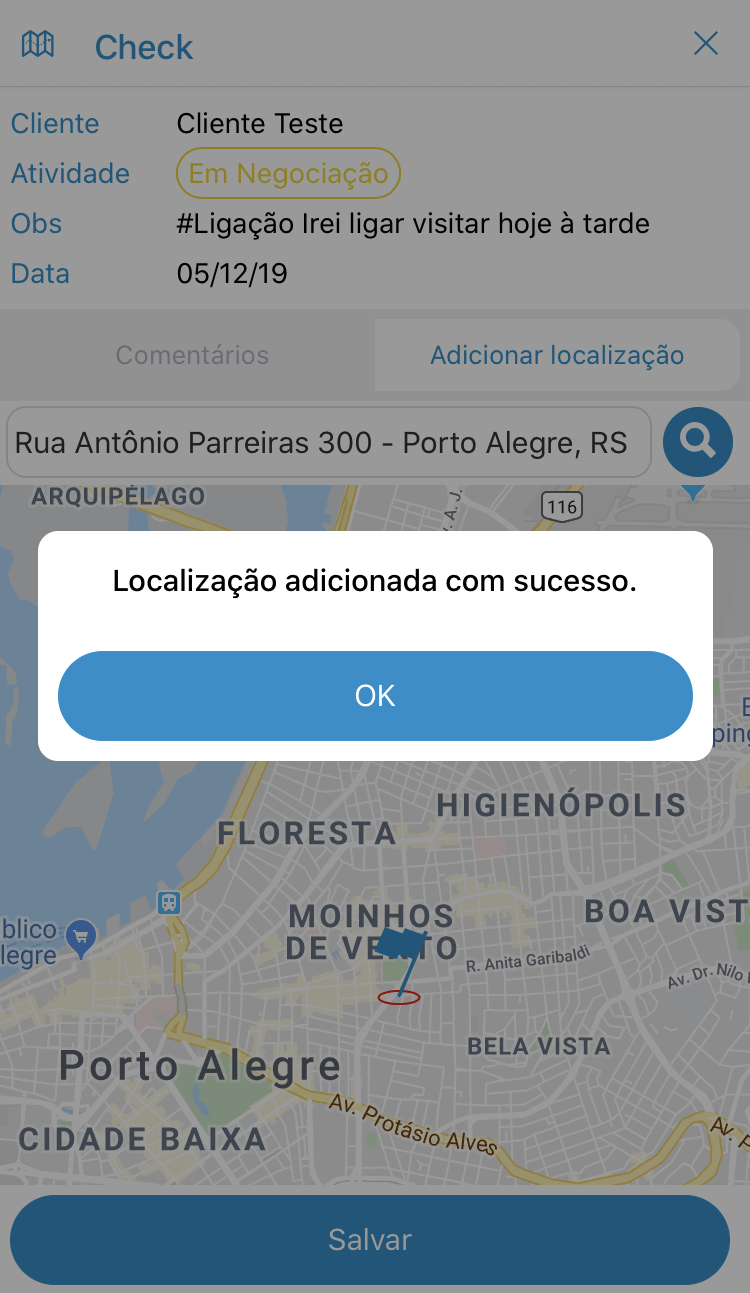
And finally click on the SAVE option. And your location was successfully added and from that moment on, the visit will appear in the reports.
See the image below:
Comentários
0 comentário
Por favor, entre para comentar.