
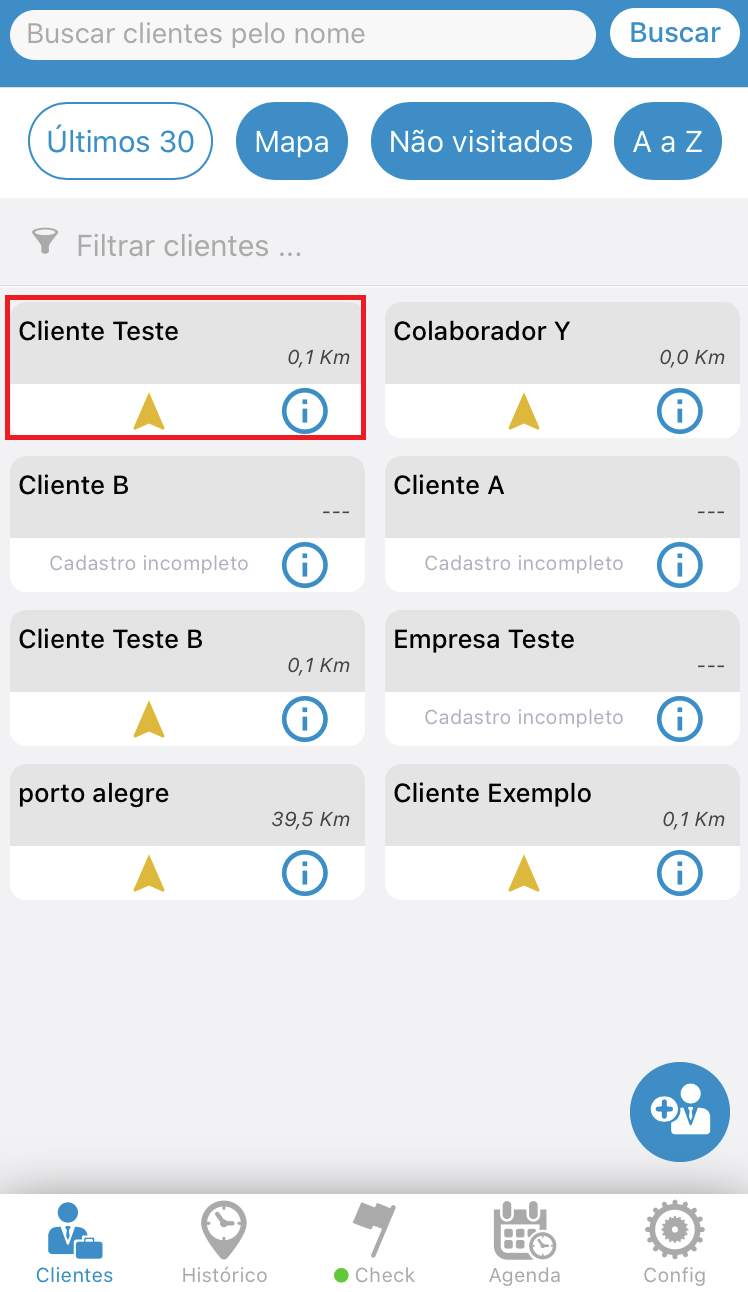
To edit a customer, go to the "Customers" tab.
Click on the client you want to edit.
See the image below:
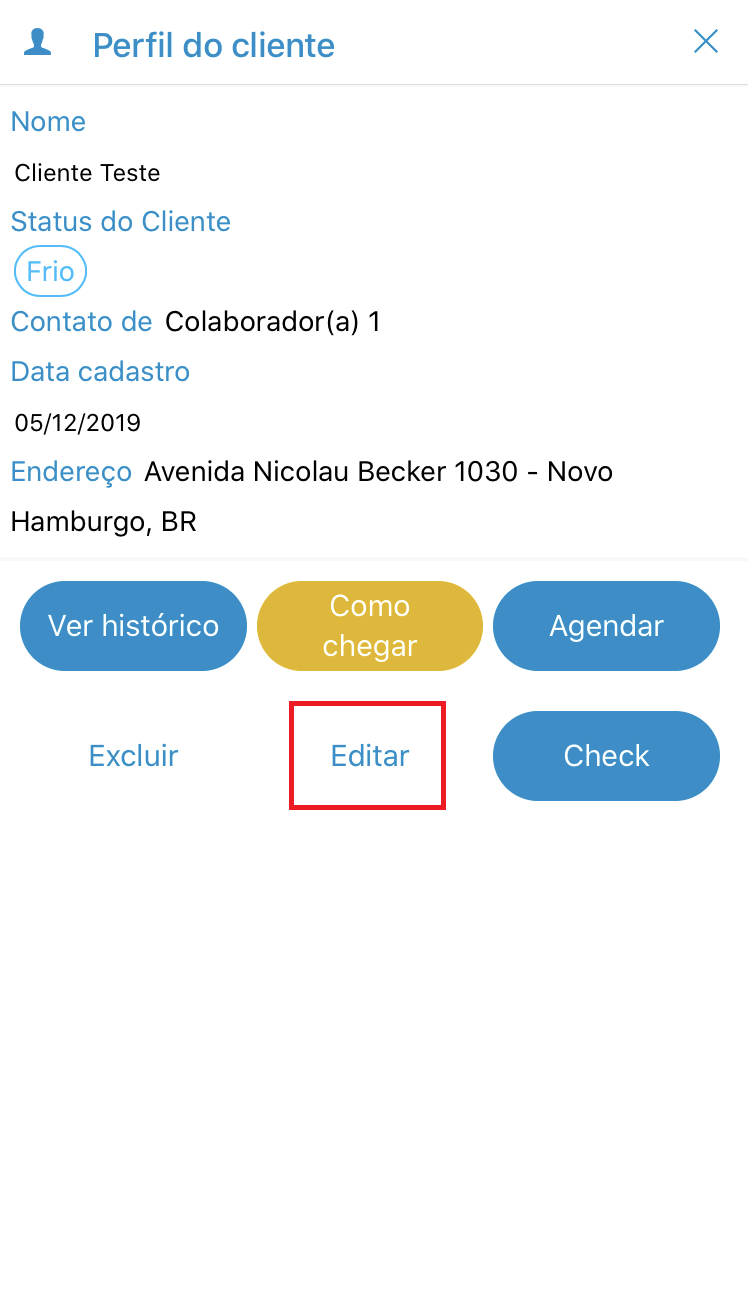
After opening this client profile, click on "Edit".
See the image below:
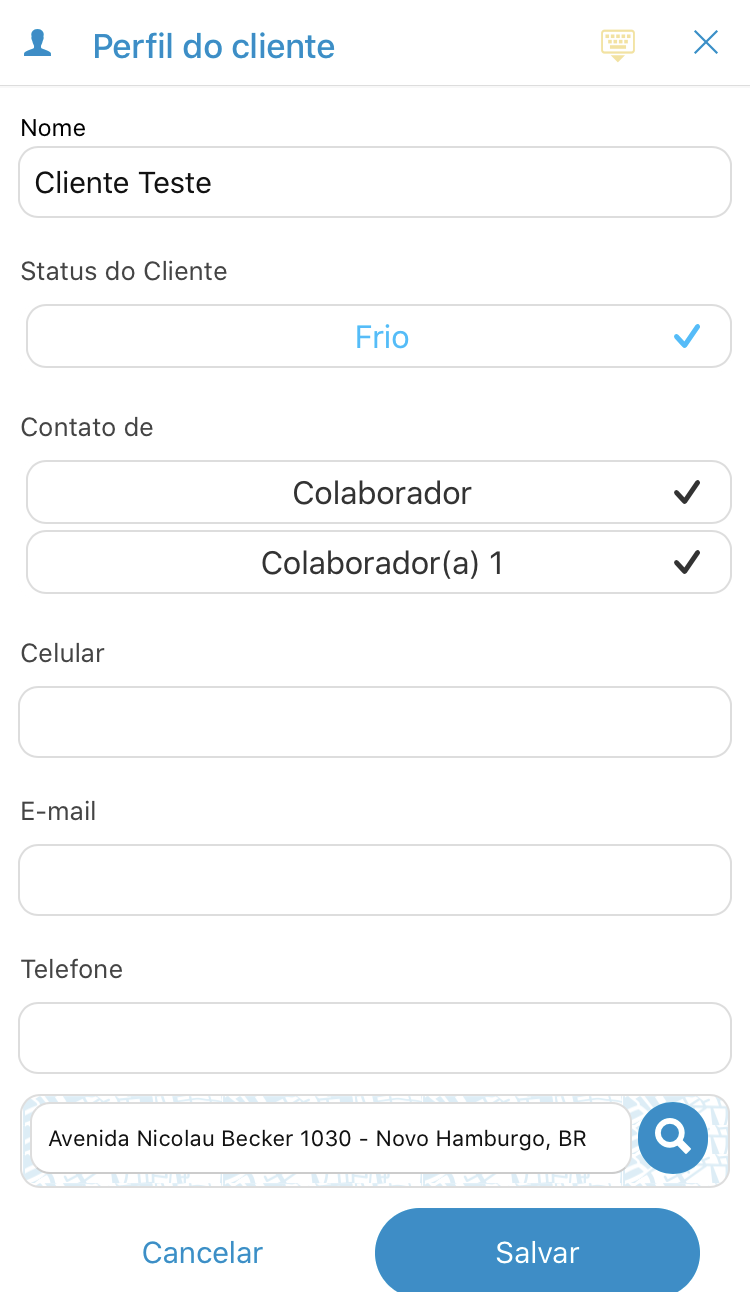
Edit the information you want.
See the image below:
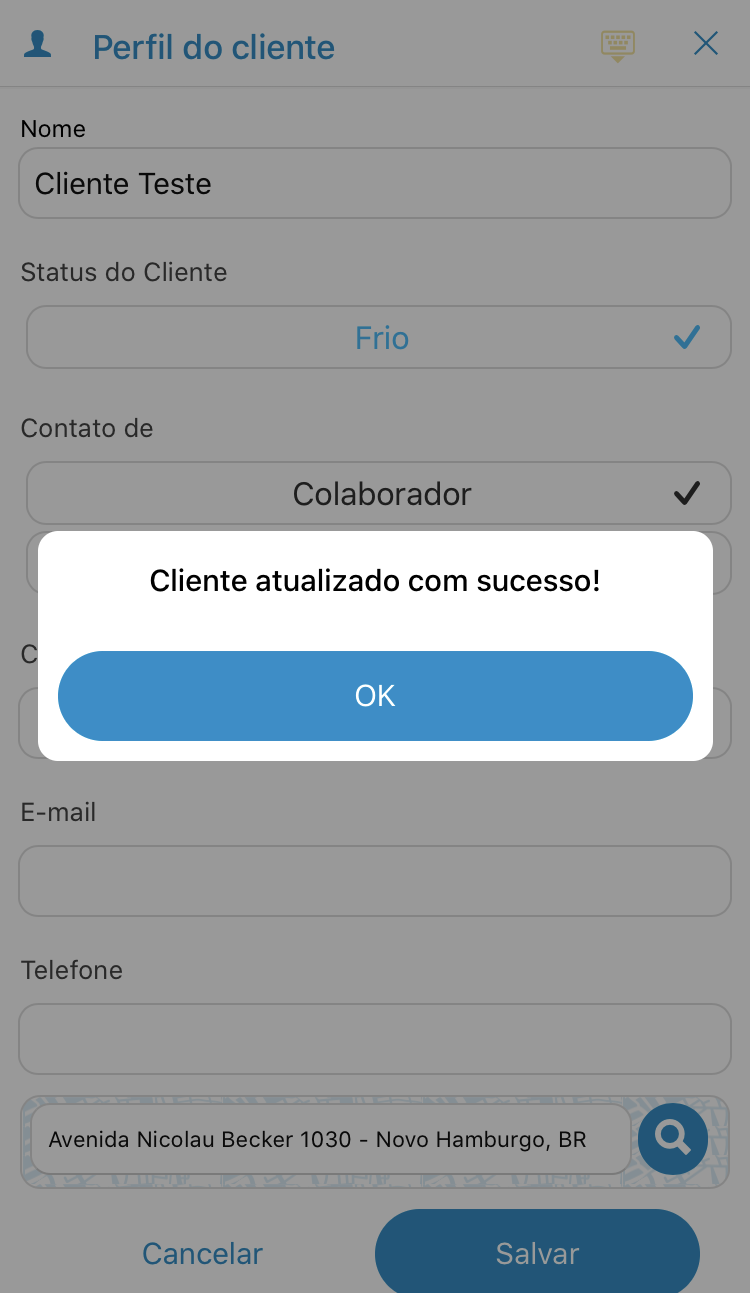
Then confirm your changes by clicking "Save."
See the image below:
Comentários
0 comentário
Por favor, entre para comentar.