
For you to enable running KM, it must be done by Portal Admin.
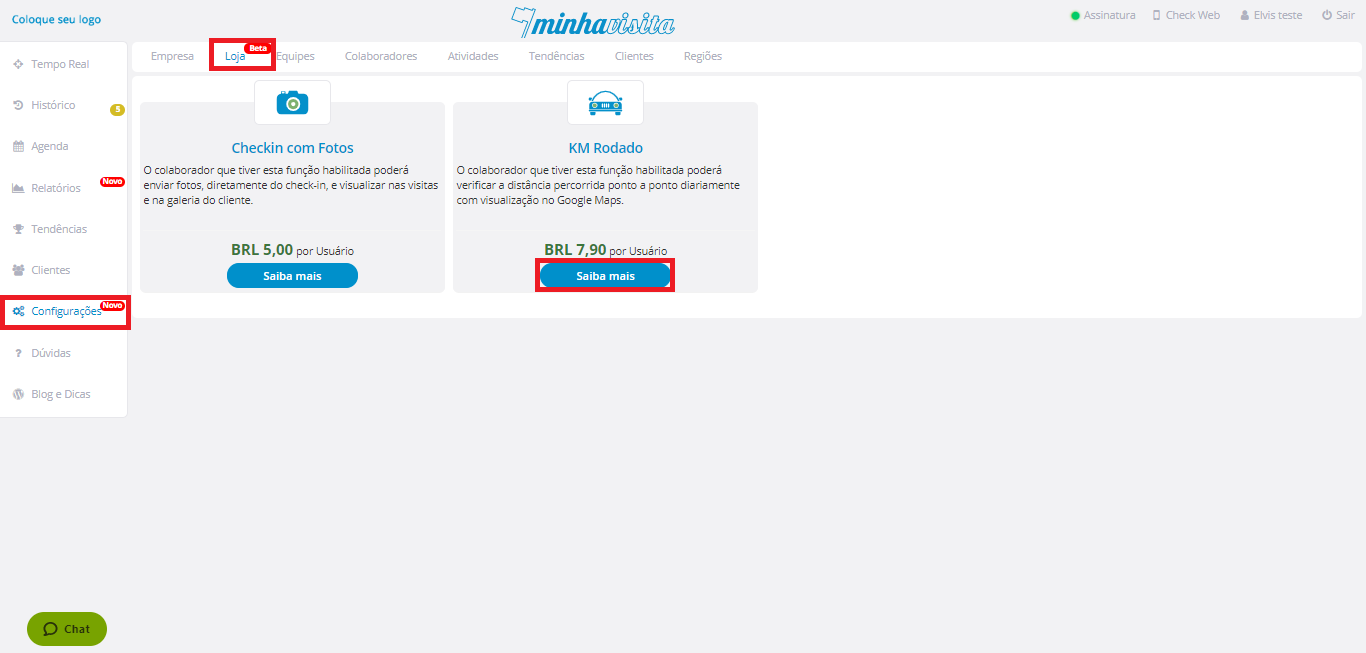
Login with your login, go to the "Settings" tab, in the upper corner select "Store".
Click on "Learn More" under the running KM.
See the image below:
After that, select the Collaborators who want to use the run KM.
And that's it, your run KM is enabled.
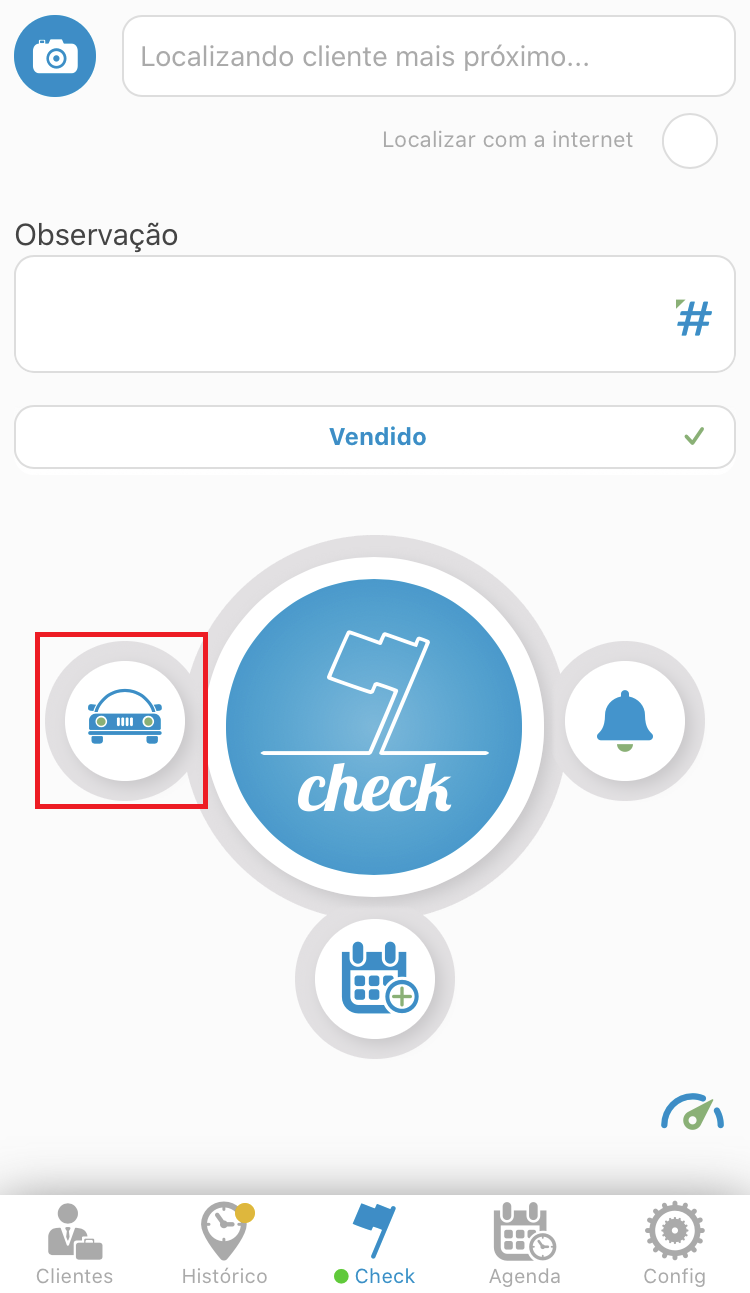
Now sign in to your application and start using this function.
See the image below:
Comentários
0 comentário
Por favor, entre para comentar.