
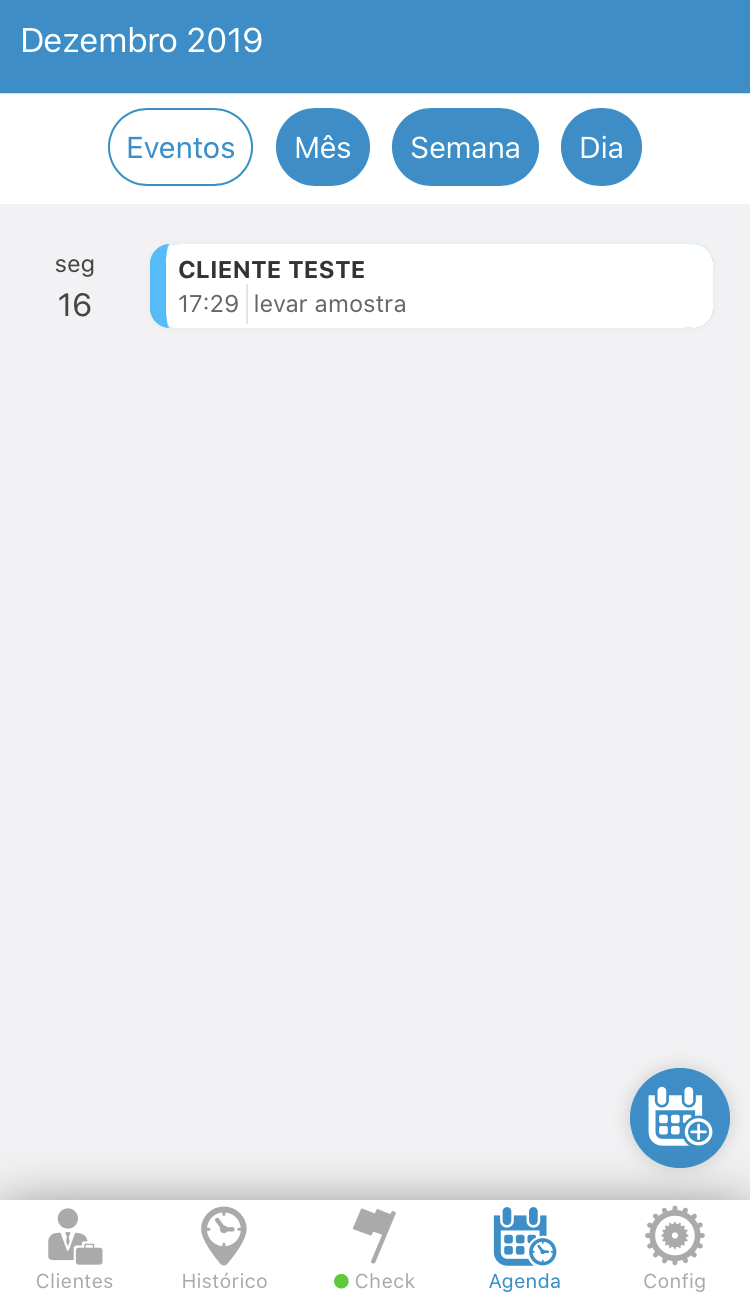
To edit any calendar event, you must be in the "Calendar" tab.
Click on the event you want to edit.
See the image below:
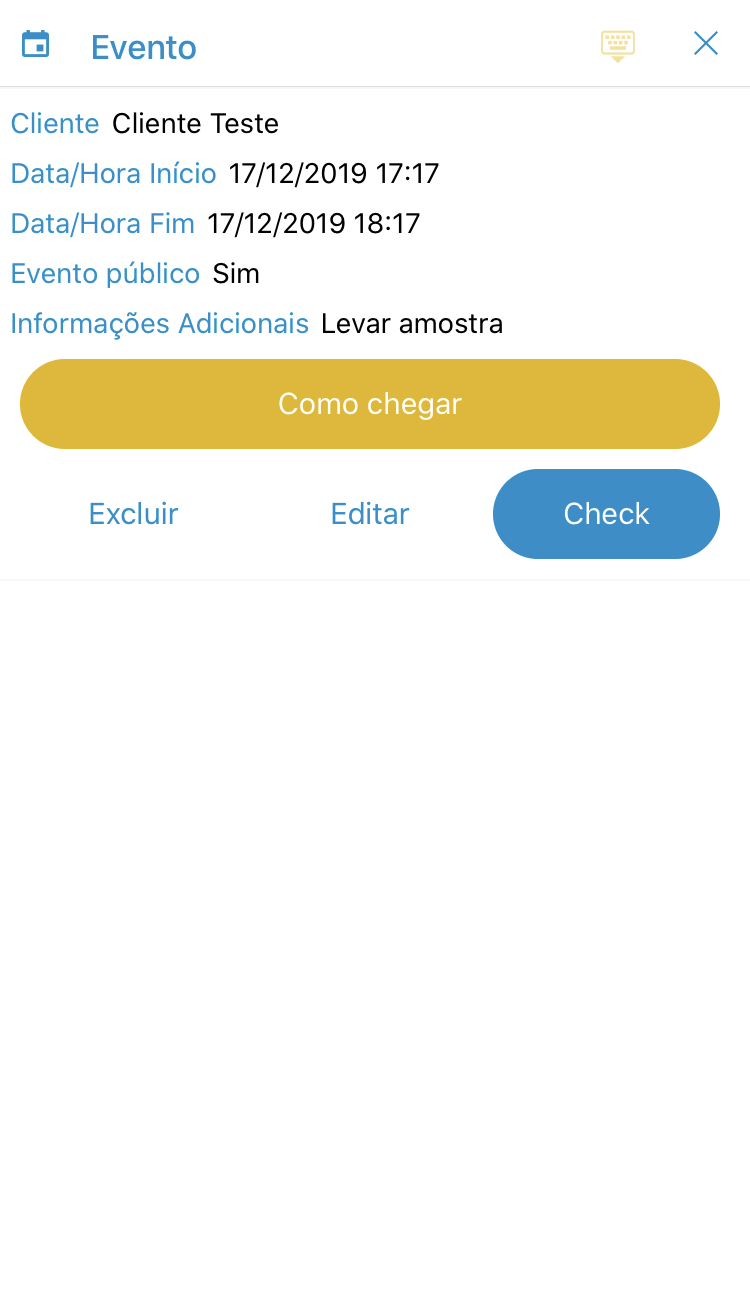
A menu will open and click on the "Edit" option.
See the image below:
Will open the menu for you to edit your event.
See the image below:
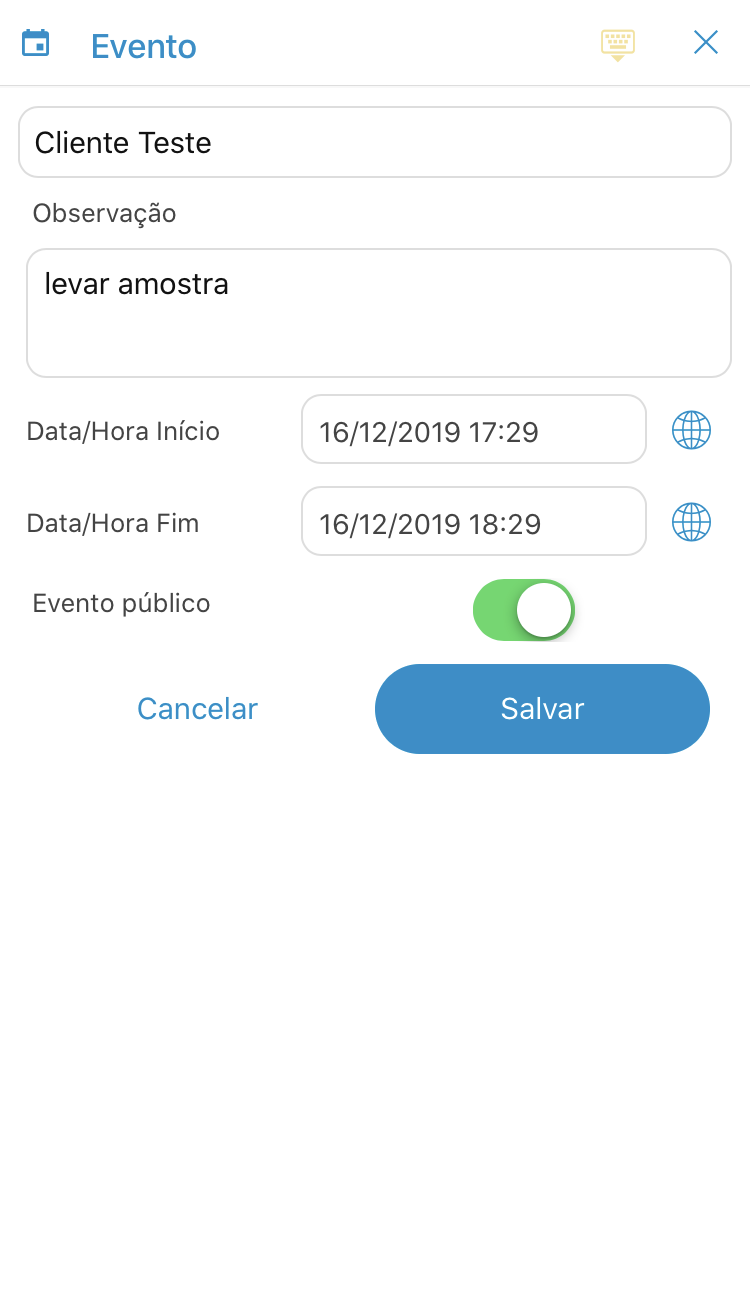
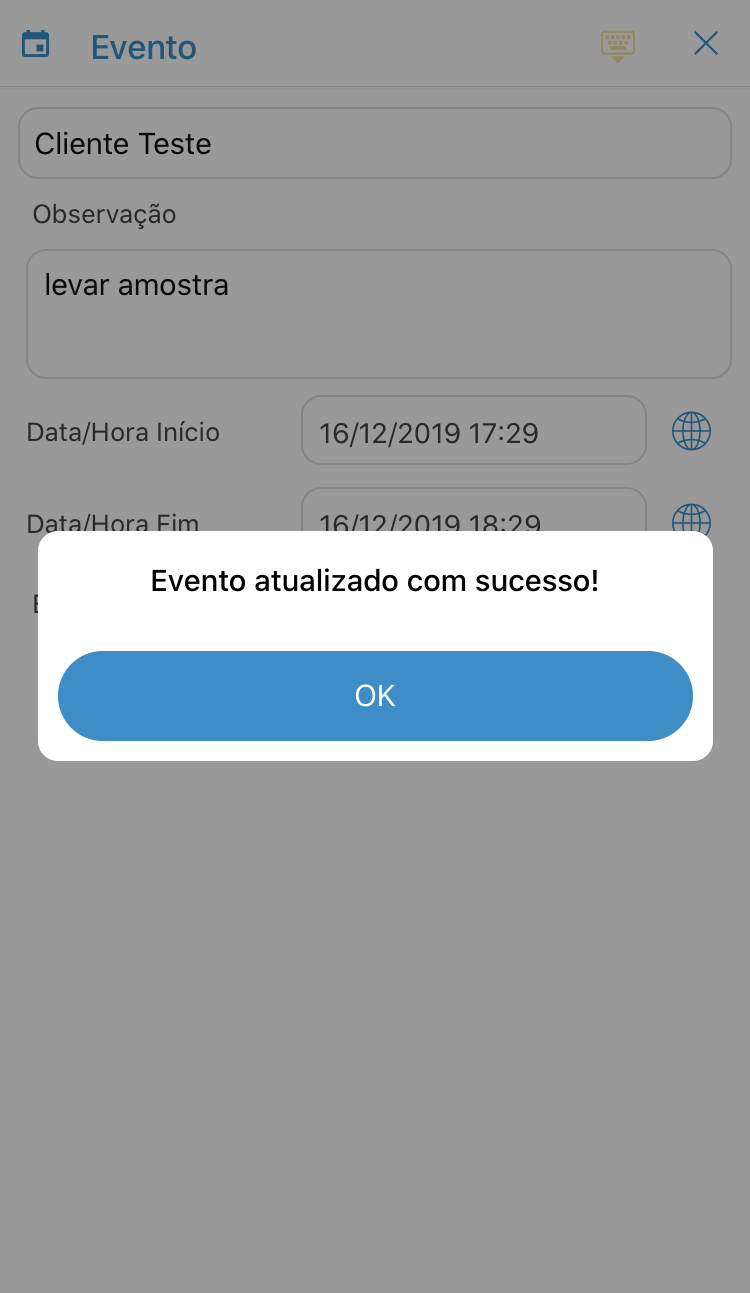
After editing, you click "Save" and a message will appear confirming the change.
See the image below:
Comentários
0 comentário
Por favor, entre para comentar.