
When you open the app go to the lower history menu. You will be able to view the visits you made, as if it were your timeline, it will show you how many visits you made in a given time period, which customers you visited, what statuses you used, and what you talked to your customer.
See the image below:
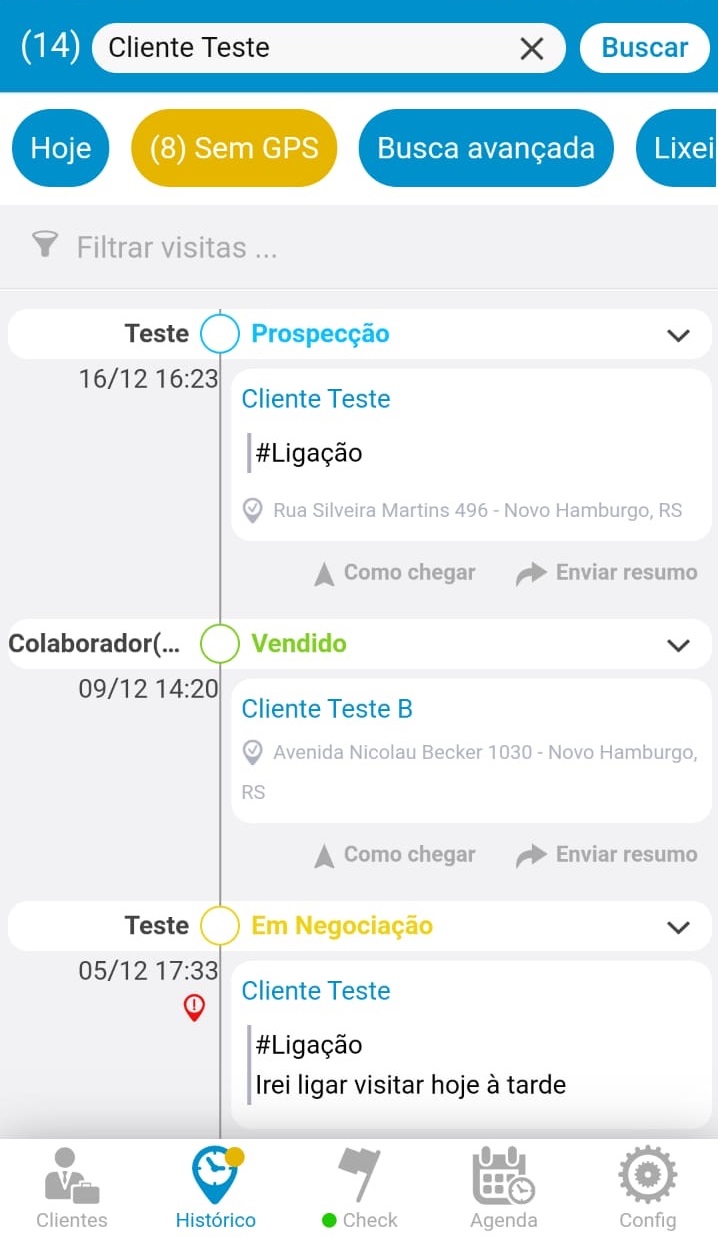
Here you can also filter by a custom date range or filter by some keyword.
If you click on a visit you will be able to see a summary of what was done and you can still edit or delete the visit.
Comentários
0 comentário
Por favor, entre para comentar.