
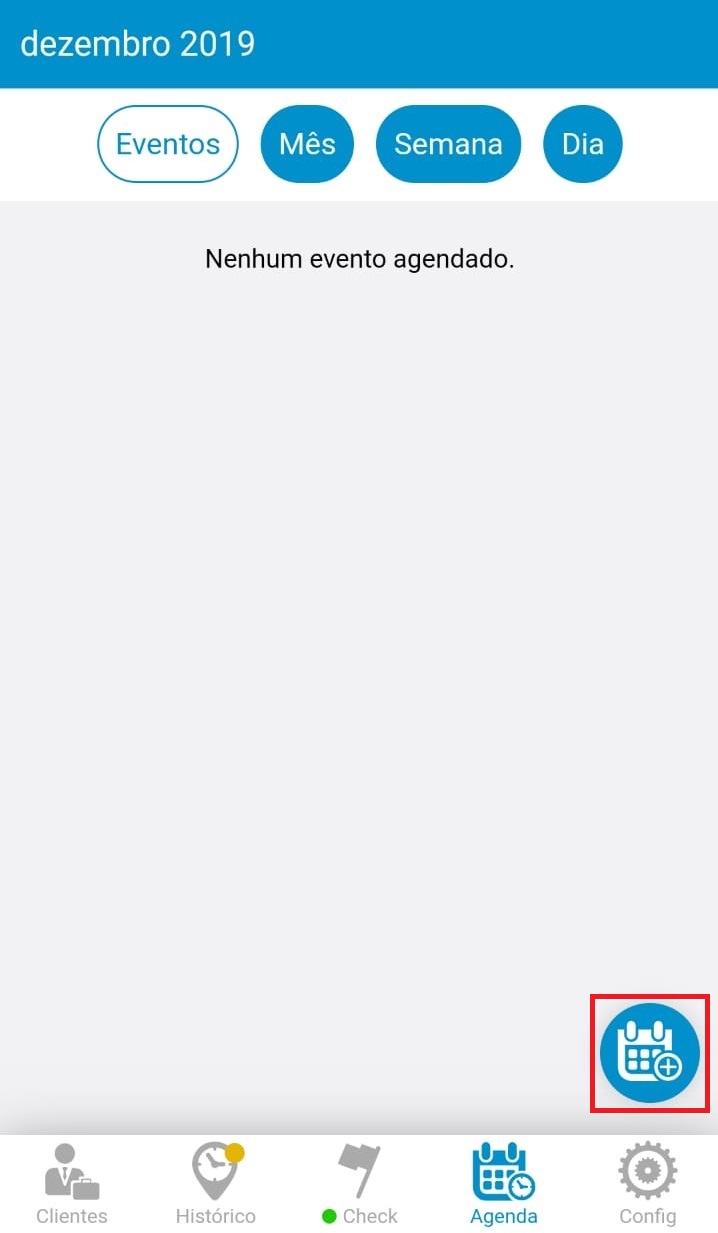
To create the event schedule, you need to enter the bottom menu, schedule option and click the calendar.
See the image below:
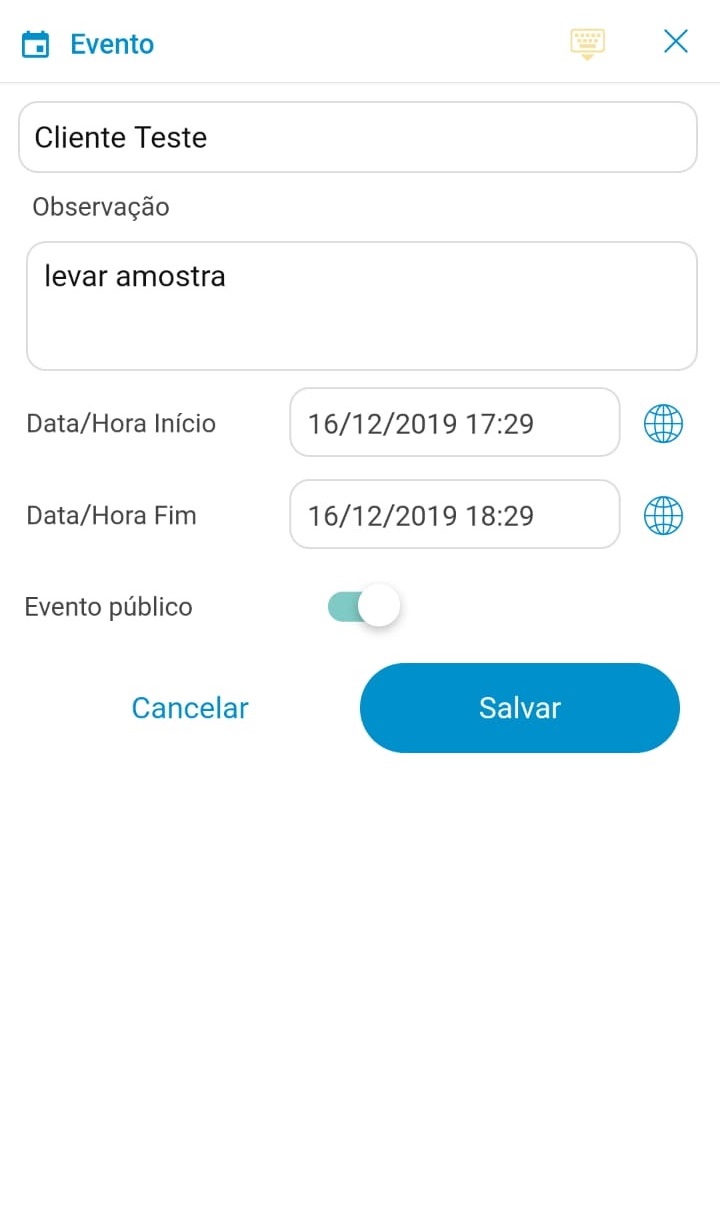
You will need to enter your client's name and you can type in some note. Choose a date and time and then just click schedule.
** IMPORTANT LEAVING THE PUBLIC EVENT ON, SO YOUR MANAGER CAN HELP YOU!
See the image below:
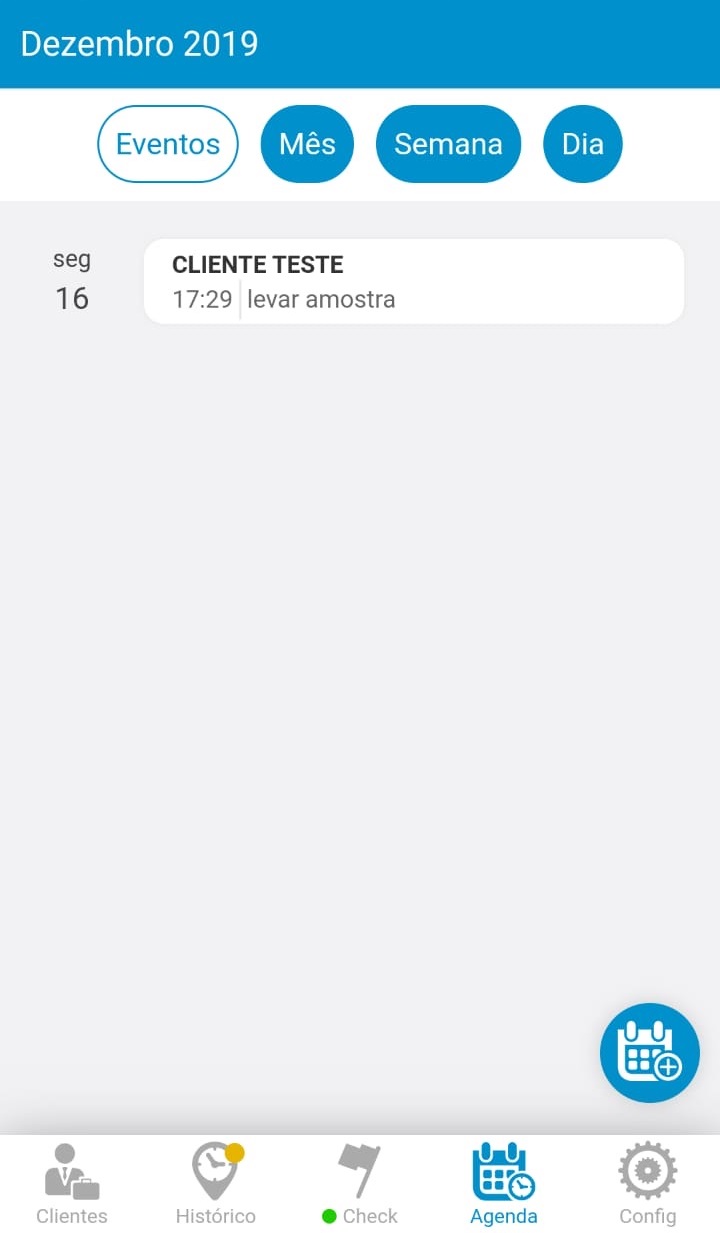
And to view your scheduled events either by Manager or yourself, the events will appear in the schedule tab.
See the image below:
When follow-up is active, the check will receive the last status of the visit made on the same customer and within the start and end period entered.
Comentários
0 comentário
Por favor, entre para comentar.